Direct Answer
You can schedule Snapchat posts using Snapchat’s native Public Story scheduler or third-party tools such as Later, Vista Social, Sprout Social, OneUp, and Sked Social. These tools support features such as Story and Spotlight scheduling, auto-publishing, content calendars, and bulk planning. Check each tool’s Snapchat account and publishing requirements before choosing one.
Posting on Snapchat takes time, especially when you manage a brand, business, or creator account. You need to create videos, write captions, prepare Stories, publish Spotlight content, and keep your account active. Doing everything manually every day gets difficult, especially if you manage multiple social networks.
A Snapchat scheduler helps you plan content ahead of time and publish it according to your content calendar. Snapchat also has its own scheduling feature for Public Stories. Third-party tools add more features, such as content calendars, bulk scheduling, analytics, approval workflows, and cross-platform publishing.
In this guide, you will learn how Snapchat scheduling works, how to schedule Snapchat posts, which tools support Snapchat, and what to look for when choosing a scheduler.
Let us get started.
- What Is a Snapchat Scheduler?
- Can You Schedule Snapchat Posts?
- How to Schedule Snapchat Posts
- Best Snapchat Scheduler Tools
- Snapchat Scheduler vs. Snapchat's Built-In Scheduling
- Benefits of Snapchat Scheduling
- Snapchat Post Scheduling Tips
- Best Times to Schedule Snapchat Posts
- Is a Snapchat Scheduler Worth Using?
- Which Snapchat Scheduler Should You Choose?
- Final Thoughts
- FAQ
What Is a Snapchat Scheduler?

A Snapchat scheduler is a tool that lets you prepare Snapchat content before its planned publishing time. You can upload a photo or video, add the required details, select a date and time, and schedule the content.
The exact workflow depends on the platform you use. Snapchat itself supports scheduling Public Story posts from the Snapchat app. Third-party platforms connect Snapchat with their own content calendars and publishing systems.
A scheduler becomes helpful when you want to prepare content several days ahead. You might create a week’s worth of Stories on Monday and arrange them across the week. A social media manager could also plan Snapchat content alongside Instagram, TikTok, Facebook, LinkedIn, X, Pinterest, and other channels.
The main purpose is simple: prepare your content once and manage the publishing schedule from one place.
Can You Schedule Snapchat Posts?

Yes. Snapchat supports scheduling for Public Story posts through its own app. Select My Story • Public on the Send To screen, open the three-dot menu, select a date and time, and send the Snap to schedule it.
Third-party platforms also provide Snapchat scheduling. Their features vary, though. Some tools publish content automatically, while others send a notification when it is time to publish.
For example, Later currently supports scheduled Snapchat Public Story posts and Spotlight videos through its desktop platform. It offers Auto Publish, so you do not need to check notifications for publishing.
Vista Social and OneUp support Snapchat scheduling for Public Profiles. Vista Social supports Public Stories, Profile Stories, Saved Stories, and Spotlight, while OneUp supports Stories and Spotlight posts. Both offer automatic publishing, so you don’t have to manually publish the content at the scheduled time.
These tools are not designed for ordinary private Snapchat accounts. Vista Social requires a Snapchat Business Public Profile, while OneUp supports only Snapchat Public Profiles.
How to Schedule Snapchat Posts
There are two main ways to schedule Snapchat content. You can use Snapchat’s native scheduling feature for supported Public Story content, or use a third-party Snapchat scheduler.
Native scheduling keeps the process inside Snapchat. A third-party platform makes more sense if you want to plan Snapchat alongside other social networks.
How to Schedule a Public Story on Snapchat
Snapchat provides a simple scheduling process for Public Stories.
- Create your Snap.
- Go to the Send To screen.
- Select My Story • Public.
- Tap the three-dot menu.
- Choose the date and time.
- Tap Done.
- Send the Snap.
This approach works well if you only need basic Snapchat scheduling. You do not need to move your content into another social media management platform.
How to Schedule Snapchat Posts With a Third-Party Tool
Third-party scheduling tools follow a similar process, but you will have more options.
A typical workflow looks like this:
- Connect your public Snapchat profile.
- Upload your photo or video.
- Select Story or Spotlight where supported.
- Add your caption or post details.
- Choose the publishing date.
- Select the publishing time.
- Review the content.
- Schedule the post.
You can track upcoming posts using a visual calendar, change schedules easily, and monitor performance from a single place.
Best Snapchat Scheduler Tools
Here are five Snapchat scheduling tools worth considering to automate your Snapchat posts, including photos and videos.
1. Later

Later is a visual social media management platform with Snapchat scheduling features. It allows you to schedule Spotlight videos and Public Story posts through Later’s desktop web platform.
Later’s Snapchat workflow supports Auto Publish. You do not need to wait for a notification and manually publish the scheduled post.
Later also lists specific Snapchat media requirements. Videos should use a 9:16 aspect ratio, have a minimum resolution of 540 × 960 pixels, run from 5 to 60 seconds, and use MP4 format. Images for Public Stories should use 1080 × 1920 resolution and JPG or PNG format.
However, Snapchat analytics are not available in Later. It also does not support Snapchat edits such as mentions, GIFs, locations, and polls.
Key Features
Pricing: $18.75/mo
Later has a 14-day free trial and premium support in all plans. They also offer 3 months free with annual plans.
2. Vista Social

Vista Social takes a broader approach to social media management. Its Snapchat tools support Stories and Spotlight content and include a content calendar, media library, queues, scheduling, and performance reporting.
You can upload Snapchat photos or videos, add captions, select the publishing time, and schedule the content. Vista Social also supports bulk publishing and Smart Publishing options within its Snapchat workflow.
One useful feature is its scheduling queue. You can set predefined publishing times and add content to the queue. This reduces the need to select a new time for every post.
Vista Social also provides Snapchat performance reporting. This gives businesses a way to review how their Snapchat content performs and use that information when planning future posts.
Key Features
Pricing: $80/mo
Vista Social has a 14-day free trial and premium support. You will also get 20% discount on annual plans.
3. Sked Social
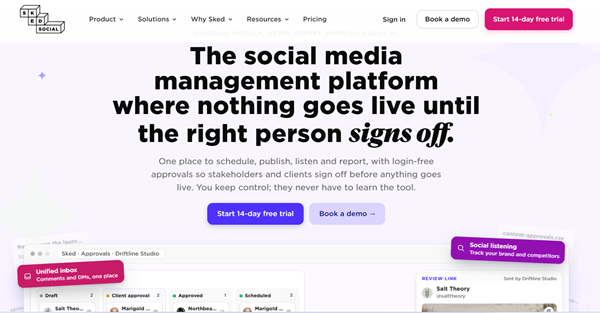
Sked Social is another tool to schedule Snapchat posts. Unlike other tools we already discussed, it lets you schedule Snapchat photos and videos, and publish them through notifications.
Upload your image or video, add the post details, and schedule it. At the scheduled time, Sked sends a push notification. You can then continue the publishing process through the Snapchat app.
That makes Sked more of a planning and reminder solution for Snapchat rather than a fully hands-off Snapchat publishing workflow.
Sked also supports multiple Snapchat accounts and lets teams manage Snapchat alongside other social channels. Its agency features include approval workflows and separate brand workspaces.
Key Features
Pricing: $58/mo
Sked Social has a 14-day free trial and fast support. They provide 17% discount on annual plans.
4. OneUp
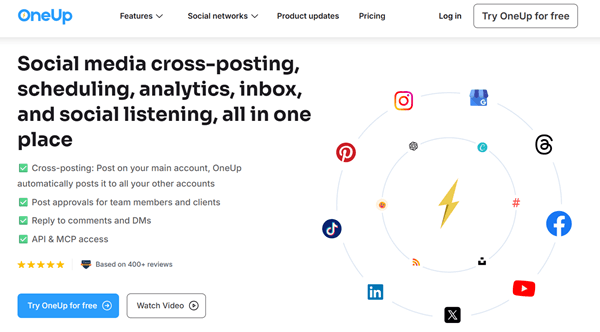
OneUp is a popular Snapchat scheduler with content recycling and analytics features. You can schedule and publish both Snapchat Stories and Spotlight videos using this tool.
Another feature is bulk uploading. OneUp says users can upload content through CSV, Google Drive, or Dropbox. It also supports cross-posting content from connected platforms.
Schedule and share content on Snapchat automatically, along with other popular social sites, and get detailed analytics to find what kind of posts or topics work for you. You can connect multiple Snapchat accounts for automations. The built-in AI writer helps you generate captions easily.
Key Features
Pricing: $25/mo
OneUp offers a 7-day free trial and premium customer support in all subscription plans. You will get 20% off on an annual subscription. Use our custom coupon code “Gizory” to get 10% extra discount on your first payment.
5. Sprout Social

Sprout Social is another Snapchat scheduler. However, it is more expensive than the other tools we mentioned in this post. It allows you to schedule Snapchat posts for Public Profiles, making it a solid option for brands, creators, and social media teams.
You can schedule both Snapchat Stories and Spotlight videos from Sprout’s publishing dashboard. Scheduled content can also be published automatically, so you don’t need to open Snapchat and post it manually.
Sprout also includes a content calendar, publishing queues, cross-posting, and approval workflows. This makes it easier for teams to plan Snapchat content alongside other social networks. You can schedule posts for a specific date and time or add them to a publishing queue.
Key Features
Pricing: $199/mo
Sprout Social has a 30-day free trial on all plans and premium support.
Snapchat Scheduler vs. Snapchat’s Built-In Scheduling
Snapchat’s native scheduling feature has one obvious advantage: it works directly inside Snapchat. The default feature is simple and focused on Public Stories. Create your Snap, select My Story • Public, choose the date and time, and schedule it.
A third-party Snapchat scheduler has a broader purpose. It gives you a central place for content planning and supports several social networks.
For example, a social media manager might prepare one week’s content for Snapchat, Instagram, TikTok, Facebook, Pinterest, X, and LinkedIn from a single calendar. That workflow saves your time when compared with opening each platform separately.
Native Snapchat scheduling is good for basic Public Story scheduling. A third-party platform becomes more attractive when you need content calendars, team approval, bulk uploads, analytics, or multi-platform publishing.
Benefits of Snapchat Scheduling
Using a Snapchat scheduler is mainly about creating a regular publishing workflow. It does not replace the need for good content.
Maintain a Consistent Posting Schedule
Consistency gets easier when you prepare content in advance. You do not need to remember to publish a post at a specific time every day.
Save Time
Batching content reduces the amount of time spent switching between creation and publishing tasks.
Plan Content in Advance
A content calendar lets you see what is coming next. This helps prevent gaps in your publishing schedule.
Manage Multiple Social Networks
Tools such as Later, Vista Social, and OneUp support Snapchat alongside other social networks.
Create Content in Batches
You might record several videos during a single session and schedule them over the following days.
Improve Team Workflows
Approval systems help writers, designers, social media managers, and clients review content before it goes live.
Reduce Last-Minute Work
A prepared content calendar gives you more time to check captions, visuals, links, and publishing details.
Snapchat Post Scheduling Tips
A Snapchat scheduler handles timing only. It does not create a Snapchat marketing strategy for you. Good planning still starts with your target audience and the content topics.
Create Content in Batches
Record several videos during one session. Edit them together and place them into your content calendar.
This approach works well for creators who have limited time during the week.
Use Vertical Video
Snapchat is built around mobile viewing. Prepare videos for a vertical screen and check how they look before scheduling them.
Keep the Opening Interesting
People decide quickly whether to keep watching a short video. Start with the main idea rather than spending too much time on introductions.
Make Stories Feel Connected
If you schedule several Snaps for one Story, make sure they follow a logical sequence.
Mix Planned and Real-Time Content
Not every Snapchat post needs to be scheduled. Breaking news, live events, spontaneous moments, replies, and trending topics may need immediate attention.
A content calendar should give you structure while leaving room for real-time posts.
Review Scheduled Content
Always check your calendar before the content goes live. A promotion might sometimes expire, or the price may change. Therefore, you should review the content manually before they go live.
Test Publishing Times
Do not assume that one posting time works for every Snapchat account. Your audience’s location, age, habits, and activity patterns all affect engagement.
Use performance data from your account to refine your schedule.
Best Times to Schedule Snapchat Posts
There is no single posting time that works for all Snapchat accounts.
A student-focused account may have a different activity pattern from a business account. A brand targeting users in the United States also has a different audience schedule from one targeting users in India.
Start by looking at your audience activity data. Test several time windows and compare the results.
For example, you could test:
- Morning
- Afternoon
- Early evening
- Late evening
Keep your content strategy consistent during the test. This gives you a better basis for comparing performance.
The goal is not to find a universal “best time.” It is to find a publishing pattern that fits your own audience.
Later’s latest research points to Tuesday through Friday as the best days for Snapchat, with two useful windows: 10 AM–1 PM and 7 PM–9 PM in your audience’s local time. It links these periods to school/work breaks and evening social activity. Weekend evenings around 8 PM–10 PM are also worth testing for entertainment and lifestyle content.
For business and marketing content, start with 10 AM–1 PM on weekdays. For entertainment, creator, fashion, and lifestyle content, test 7 PM–9 PM.
Snapchat has a large reach in the US, India, France, and Saudi Arabia, so schedule content according to your target market’s local time.
Even though your own Snapchat analytics should have the final say. General studies provide a starting point, while your audience data shows when your followers actually engage.
Is a Snapchat Scheduler Worth Using?
A Snapchat scheduler works well when you publish regularly and want more control over your content calendar.
For a creator who publishes one or two Public Stories occasionally, Snapchat’s built-in scheduling could be enough.
For active Snapchat influencers and a brand managing several social networks, a third-party platform gives more options. A tool such as Later, Vista Social, Sked Social, or OneUp provides Snapchat scheduling with other social channels.
Agencies also have more reasons to use a social media management platform. Client approvals, content calendars, reporting, listening, and multiple accounts become important as the workload grows.
The key is to choose a tool based on your actual publishing process.
Which Snapchat Scheduler Should You Choose?
The answer depends on the features you need.
Later is worth looking at if you want a visual social media calendar and direct Snapchat scheduling for Public Stories and Spotlight videos.
Vista Social suits users who want Snapchat publishing, queues, analytics, content calendars, and broader social media management.
Sked Social is worth considering if your team wants Snapchat planning and approval workflows and is comfortable completing Snapchat publishing through notifications.
OneUp is a good option to investigate if you want Snapchat Stories and Spotlight scheduling plus bulk uploads, repeating posts, and cross-platform publishing.
Sprout Social is interesting for large businesses that want to manage all social media marketing operations, including paid promotions, from one place.
The right choice depends on the type of Snapchat content you publish, how much automation you want, and whether you manage other social networks.
Final Thoughts
Scheduling Snapchat posts makes it easier to stay consistent without having to publish every post manually. Snapchat already offers native scheduling for Public Stories, while third-party tools add features such as content calendars, auto-publishing, bulk scheduling, analytics, and team workflows.
The five tools covered in this guide offer slightly different approaches. Later, Vista Social, Sprout Social, OneUp, and Sked Social support Snapchat publishing, but their features and publishing methods vary. Some focus on automatic publishing, while Sked Social uses reminders for Snapchat.
Before choosing a Snapchat scheduler, check whether it supports the content format you use, such as Stories or Spotlight. Also, confirm whether your account needs to be a Snapchat Public Profile.
Once you find a tool that fits your workflow, plan your content in batches, test posting times, and keep some room for real-time Snapchat content. A good schedule should save time while keeping your posts fresh and relevant.