
Direct Answer
The best social media automation tools in 2026 include SocialBee, Buffer, SocialPilot, Metricool, RecurPost, and Hootsuite. Each tool serves a different purpose, from content recycling and simple scheduling to agency management and advanced analytics. Compare their features, pricing, supported platforms, and automation workflows to find the right fit for your needs.
Managing social media accounts takes time. You need to create content, write captions, publish posts, respond to followers, and check performance.
When you manage multiple platforms, keeping up with everything becomes harder.
Social media automation tools help you reduce this workload.
They let you schedule posts, recycle evergreen content, manage multiple accounts, and track social media performance from a single dashboard. Some platforms also include AI writing assistants, social listening, and team collaboration features.
However, every tool follows a different approach. Buffer focuses on straightforward publishing. SocialBee emphasizes content recycling. Metricool combines scheduling with analytics, while Brand24 focuses on monitoring online conversations.
The best social media automation tools depend on your goals, budget, preferred platforms, and the tasks you want to automate.
In this guide, I compare 11 tools worth considering in 2026. You’ll learn about their key features, ideal users, limitations, and how to choose the right platform for your workflow.
Editorial note: Features and pricing change regularly. Confirm current plan limits and prices on each vendor’s website before purchasing. Pricing below is indicative, where noted, not a live-verified quote for every product.
- Quick Comparison: Best Social Media Automation Tools
- What Is Social Media Automation?
- 11 Best Social Media Automation Tools
- 1. SocialBee – Best for Content Recycling and Evergreen Posts
- 2. SocialBu – Best for Social Media Automation Workflows
- 3. Brand24 – Best for Social Listening and Brand Monitoring
- 4. SocialPilot – Best for Agencies and Social Media Teams
- 5. RecurPost – Best for Recurring Content
- 6. Vista Social – Best for Multi-Platform Social Media Management
- 7. Buffer – Best for Simple Social Media Publishing
- 8. Hootsuite – Best for Larger Teams
- 9. Social Champ – Best for Automated Publishing and Team Collaboration
- 10. Later – Best for Visual Content Planning
- 11. Metricool – Best for Analytics and Performance Tracking
- How to Choose the Best Social Media Automation Tools
- Final thoughts
- FAQ
Quick Comparison: Best Social Media Automation Tools
The following table gives you a quick overview of the tools covered in this guide.
| Tool | Best for | Main capabilities |
|---|---|---|
| SocialBee | Evergreen content and recycling | Scheduling, content categories, recycling |
| SocialBu | Social media automation workflows | Publishing, scheduling, automation |
| Brand24 | Social listening | Brand monitoring, mentions, sentiment |
| SocialPilot | Agencies and marketing teams | Bulk scheduling, analytics, collaboration |
| RecurPost | Recurring content | Content libraries, recurring posts |
| Vista Social | Multi-platform management | Publishing, engagement, analytics |
| Buffer | Simple social media publishing | Scheduling, AI assistance, analytics |
| Hootsuite | Larger teams | Publishing, analytics, inbox, listening |
| Social Champ | Team collaboration | Scheduling, listening, and competitor analysis |
| Later | Visual content planning | Scheduling, visual calendar, content planning |
| Metricool | Analytics and scheduling | Reporting, publishing, performance tracking |
The tools have different strengths. A freelancer who wants to share articles regularly may need a simpler workflow than an agency managing dozens of client accounts.
What Is Social Media Automation?

Social media automation is the use of software to handle repetitive social media tasks with limited manual effort. These tasks include scheduling posts, publishing content, recycling evergreen articles, collecting analytics, and organizing engagement workflows.
For example, imagine that you publish three blog posts every week. You also want to share older articles on X, LinkedIn, and Facebook. You could prepare the posts manually each day, or use an automation tool to organize your content and publish it on schedule.
The social media automation tool handles the planned tasks while you focus on content quality, strategy, and audience relationships.
What Tasks Can You Automate?
Common social media automation tasks include:
- Scheduling posts in advance.
- Publishing content across supported platforms.
- Recycling evergreen content.
- Importing content through RSS feeds.
- Creating captions with AI assistance.
- Organizing posts into content categories.
- Generating analytics reports.
- Monitoring brand mentions.
- Managing selected comments and messages.
Automation does not mean that every social media task should run without human involvement. You should review content, check platform-specific requirements, and respond personally when a conversation requires context
| Heads up: Some of the links in this post are affiliate links. This means I may earn a small commission at no extra cost to you if you make a purchase. |
11 Best Social Media Automation Tools
Choosing the right social media automation tool saves time and simplifies content management. From scheduling posts to recycling evergreen content and tracking performance, these 11 tools offer features for creators, businesses, bloggers, and marketing teams.
1. SocialBee – Best for Content Recycling and Evergreen Posts
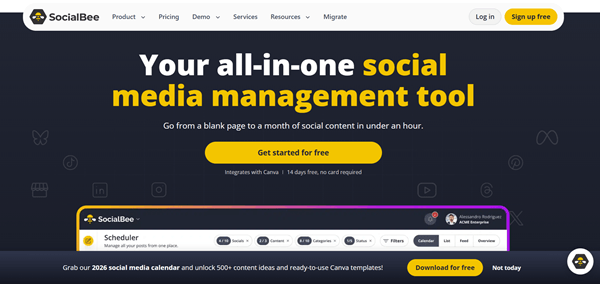
SocialBee is a social media management platform built around content organization, publishing, and recycling workflows. It deserves attention from content creators, businesses, and agencies that want to maintain a consistent publishing schedule.
Its content category approach helps you organize posts by theme, such as blog articles, tips, promotional updates, and educational content. You can then plan how those categories appear in your publishing schedule. For instance, you can schedule social media related posts at a certain time and food recipes related posts at another time every day.
SocialBee also offers AI-related content assistance and analytics features. You can create hashtag collections to quickly insert relevant hashtags into your content and automatically import content from your RSS feeds.
Key Features
The main attraction of SocialBee is its content workflow. Rather than keeping every post in one long queue, you can organize content into categories and build a more structured publishing routine. It allows you to apply a custom schedule, a URL shortener, UTM parameters, and even a unique color to each category.
SocialBee suits users who have a growing library of blog posts and evergreen content.
Want to learn more? Read our SocialBee review to explore its features, pricing, and practical use cases.
2. SocialBu – Best for Social Media Automation Workflows
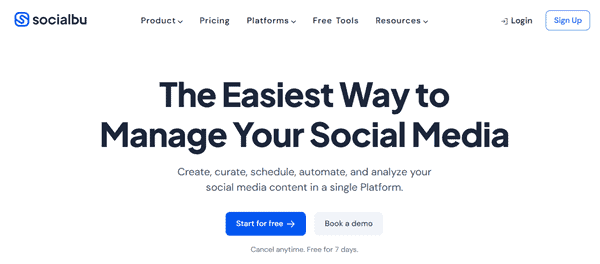
SocialBu is a social media automation tool that helps you schedule posts, automate repetitive tasks, and manage multiple social accounts from one dashboard. It supports publishing, content curation, social listening, and analytics, making it worth considering for creators, startups, and marketing teams.
This tool lets you schedule and bulk-publish posts, create AI-generated content, automate RSS feed publishing, and build workflows using triggers, conditions, and actions. You can also manage messages, comments, and mentions through its shared inbox.
Key Features
SocialBu’s automation features suit users who want to reduce manual publishing work. Its Content Curation is a great place to find niche-based content that your audience may like and share them on your social media profiles to boost engagement.
Track mentions and keywords, read and respond to comments, private messages, and reviews across accounts, and assign them to your team members easily. You can also review performance reports and collaborate with team members through approval workflows.
3. Brand24 – Best for Social Listening and Brand Monitoring

Brand24 takes a different approach to social media automation. Its main purpose is to monitor online conversations, track mentions, and help businesses understand how people discuss their brands.
This makes it a companion to publishing-focused tools. You might use SocialBee or Buffer to distribute content, then use Brand24 to monitor brand mentions and relevant discussions.
Key Features
Brand24 is particularly relevant to businesses that want to know what customers and audiences say about their brand. It may also help marketers identify discussions related to their products or industry.
However, Brand24 is not a direct replacement for a social media scheduler. Its primary focus is monitoring and analysis, so readers should understand this distinction before selecting it.
4. SocialPilot – Best for Agencies and Social Media Teams

SocialPilot is another social media automation tool that is designed for users who manage social media accounts across brands, clients, or teams. It helps you schedule posts, manage multiple accounts, collaborate with clients, and track performance from one dashboard.
This marketing suite offers bulk scheduling for up to 500 posts, content recycling through repeat posts, AI-powered caption generation, and a content calendar. Bulk scheduling is particularly relevant to users who prepare large amounts of content in advance. It reduces the need to add each post individually.
Key Features
SocialPilot’s social inbox helps you manage messages, comments, and mentions without signing into each account separately. You can also create automated reports and send them to clients.
The platform supports approval workflows, role-based permissions, and white-label reporting, making it suitable for agencies managing multiple brands. Its integrations with WordPress, Zapier, Canva, and other services add flexibility to your workflow.
SocialPilot is worth considering if you want publishing, collaboration, and analytics in one place. Read our SocialPilot review to explore its features, pricing, and overall experience.
5. RecurPost – Best for Recurring Content

RecurPost is a social media marketing tool designed for agencies, freelancers, and businesses managing multiple accounts. It helps you schedule posts, recycle evergreen content, and organize publishing through a shared content calendar.
This social media automation tool focuses on recurring publishing and content recycling. It is worth considering if you regularly share evergreen articles, tips, promotional posts, or other content that remains relevant over time.
Key Features
RecurPost lets you create recurring content libraries that automatically republish posts according to your chosen schedule. You can also bulk-upload content through CSV files, import RSS feeds, and connect workflows through Zapier. Its seasonal libraries help schedule time-based campaigns, while analytics and white-label reports support client management
The platform also offers client approval workflows, platform-specific post customization, and a unified inbox for supported accounts. These features make it suitable for social media managers who handle several clients.
Read our RecurPost review to explore its automation features, pricing, and overall experience.
6. Vista Social – Best for Multi-Platform Social Media Management

Vista Social is an AI-powered social media automation platform that helps businesses manage multiple networks from one dashboard. It combines post scheduling, content creation, analytics, social listening, and inbox management.
You can schedule posts in bulk, customize content for each platform, and manage publishing through a visual content calendar. Approval workflows help teams review posts before they go live. Its unified inbox brings comments, messages, and reviews into one place.
Key Features
Vista Social also offers DM automation, allowing you to automatically respond to selected comments, mentions, and direct messages. Its AI-powered Ask Vista assistant supports content creation, reporting, and recurring workflows through scheduled AI agents.
Vista Social is worth considering if you manage multiple brands, need team collaboration, or want publishing and engagement automation in one platform.
Read our Vista Social review to analyze its features and find out how it helps you automate social media marketing tasks.
7. Buffer – Best for Simple Social Media Publishing

Buffer is another social media marketing platform focused on scheduling, publishing, and content management. Its clean interface makes managing daily posts easier, even for beginners.
You can create publishing schedules, queue posts, and plan content through a visual calendar. Buffer lets you customize posts for each platform, schedule videos and images, and manage content from one dashboard.
Key Features
Buffer is worth considering if you want to prepare posts and add them to a publishing queue. Its workflow is relatively easy to understand, making it suitable for users who don’t need a complex platform.
Its AI Assistant helps generate captions, rewrite content, and adapt posts for different audiences. Buffer also supports content recycling, engagement management, and performance analytics, helping you understand which posts attract the most attention.
Buffer may also serve as a useful starting point for users new to social media automation. You can learn the basic publishing workflow before moving to a more advanced system.
Which is better, Buffer or SocialPilot? Read our Buffer vs SocialPilot comparison to compare features, tools, and pricing.
8. Hootsuite – Best for Larger Teams
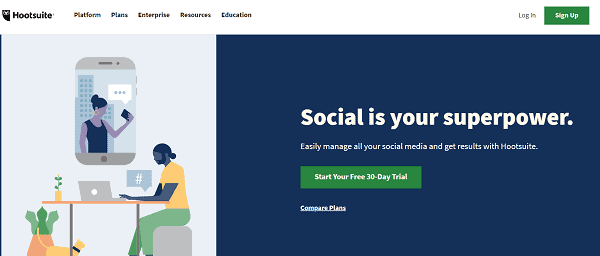
Hootsuite is one of the most popular social media automation tools that require publishing, monitoring, analytics, and collaboration features.
It lets you schedule and publish posts across multiple social networks. Hootsuite’s bulk scheduling feature helps teams prepare multiple posts at once, while the content calendar streamlines campaign planning. You can also customize posts for each platform before publishing.
Key Features
Hootsuite’s automation features include AI-powered content creation, automated post scheduling, social listening, and workflow management. It also helps teams manage messages and comments, while approval tools support content reviews and publishing permissions.
Hootsuite also provides analytics and reporting tools to track campaign performance, audience engagement, and account growth. These features make it suitable for organizations managing multiple brands and social media accounts.
You may be wondering how Buffer and Hootsuite differ in their automation features. Both are popular social media management tools. Read our Buffer vs Hootsuite comparison to understand their features and choose the right platform for your needs.
9. Social Champ – Best for Automated Publishing and Team Collaboration

Social media automation tools like Social Champ help businesses schedule content, manage accounts, and reduce repetitive publishing tasks. It supports 12+ social platforms from a single dashboard, making it suitable for agencies, creators, and marketing teams.
You can bulk-upload up to 300 posts, schedule content through a visual calendar, and automate publishing with queues, RSS feeds, and evergreen content recycling. Its AI tools help generate captions, images, and hashtags. Smart scheduling also suggests suitable posting times
Key Features
Social Champ includes team approval workflows, client workspaces, a unified social inbox, social listening, and cross-platform analytics. These features help agencies manage several brands while keeping content organized and reviewed before publication.
Need to know whether Social Champ fits your marketing needs? Our Social Champ review gives you a better idea of its key features, possibilities, and pricing plans.
10. Later – Best for Visual Content Planning

Later is a social media scheduling platform with a strong focus on visual content planning. It is relevant to creators, brands, and businesses that publish images and videos across social networks.
Later’s visual content calendar lets you arrange posts, preview your Instagram grid, and plan upcoming campaigns. You can schedule images, videos, carousels, and Stories for supported platforms. Its Linkin.bio feature helps creators direct followers from social profiles to specific products or web pages.
Key Features
Later also includes AI-powered writing tools, hashtag suggestions, analytics, and tools for managing user-generated content. You can save media in a content library, organize assets, and reuse content during future campaigns. These features reduce repetitive work and simplify daily publishing.
Among social media automation tools, Later is a suitable choice for users who want visual planning, content scheduling, and performance tracking in one place. It is especially helpful for Instagram-focused brands and creators.
If you want to explore this platform in detail, don’t forget to read our Later review to take a closer look at its features, tools, and pricing.
11. Metricool – Best for Analytics and Performance Tracking
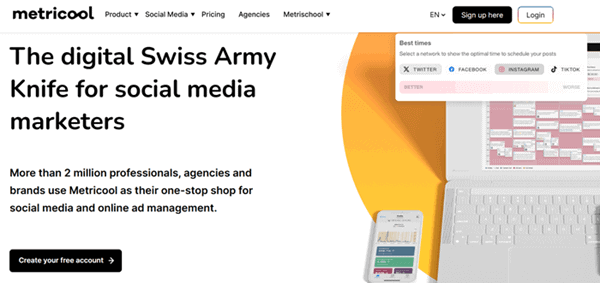
Metricool is one of the best free social media automation tools that help you schedule content, track performance, and manage multiple accounts easily. It is designed for creators, businesses, and agencies that want to combine publishing with detailed analytics.
With its visual planner, you can schedule posts, create automated content lists, bulk-upload content, and find suitable posting times. The AI assistant helps you generate captions and content ideas.
Key Features
The platform tracks engagement, reach, impressions, audience growth, and other performance metrics. Its automated reports help you share results with clients or team members without preparing reports manually. Metricool also includes a unified inbox for managing messages and comments, plus DM automation through its Flows feature.
Metricool is worth considering if analytics, recurring publishing, and automated reporting are important parts of your social media workflow.
How to Choose the Best Social Media Automation Tools
Choosing a social media automation tool requires more than checking the number of features. You need to understand how the platform fits your daily workflow.
A solo content creator may prioritize content recycling and RSS publishing. An agency may need client approvals and reporting. A brand may focus on visual content and engagement. These requirements lead to different purchasing decisions.
Before subscribing, identify the tasks you want to automate and the social networks you use.
1. Check Supported Social Platforms
Every automation tool supports a particular set of social networks. Check whether it works with the platforms you use regularly.
Common networks include:
- X
- TikTok
- YouTube
- Threads
- Bluesky
Before choosing a plan, ensure that it supports networks you need. The plans and features mentioned here may change from time to time. Check whether your target tool still supports your favorite networks.
2. Review the Automation Features
Look beyond the word “automation.”
Ask what the tool actually handles:
- Does it support bulk scheduling?
- Does it recycle evergreen content?
- Does it import RSS feeds?
- Does it offer AI assistance?
- Does it generate reports automatically?
- Does it support approval workflows?
- Does it help manage comments or messages?
A clear feature list helps you avoid paying for capabilities you don’t need.
3. Compare Pricing and Account Limits
The cheapest monthly subscription isn’t always the best fit for your workflow.
Some tools charge per social channel. Others offer bundle plans containing all supported networks.
Check:
- Number of social accounts.
- Number of users.
- Scheduled post limits.
- Analytics access.
- Content recycling features.
- Team permissions.
- Monthly and annual pricing.
- Additional feature charges.
4. Review Team and Client Features
Agencies need a way to coordinate publishing tasks and interact with clients.
Look for:
- Approval workflows.
- User permissions.
- Client access.
- Shared content calendars.
- Workspaces.
- Reporting options.
Check whether these features are included in the plan you intend to purchase. Contact sales support for clarifications if any.
If you need more than automation, explore our list of the best social media management tools for additional options.
Final thoughts
The right social media automation tools can save time, simplify content publishing, and help you maintain a consistent online presence. Each platform has its own strengths. SocialBee and RecurPost focus on content recycling, while Buffer offers simple scheduling. Metricool supports performance tracking, and Hootsuite suits larger teams.
Before choosing a tool, consider the social networks you use, your publishing schedule, team size, and budget. Look for features that solve your daily challenges, such as bulk scheduling, automated reports, content recycling, and approval workflows.
Most importantly, automation should support your social media strategy, not replace genuine engagement. Review scheduled content, respond to your audience, and track your results regularly.
Compare the features of these tools, test the platforms that match your needs, and choose the one that fits your workflow.