Direct Answer
Social media polls let you ask followers a question and collect quick responses. You can create polls on platforms such as X, LinkedIn, Threads, Reddit, and Mastodon. Tools like Social Champ, Circleboom, Metricool, and Fedica also let you schedule polls ahead of time, helping social media managers plan interactive content across multiple accounts.
Want to know what your audience really thinks? Ask them.
Social media polls give followers a quick way to share their opinions, preferences, and ideas with a single click. They also give social media managers fresh insights for planning content, improving products, and starting conversations.
Creating a poll is easy. The real challenge is asking the right question, choosing clear answers, and publishing them at the right time. Poll scheduling tools help you create and publish polls at optimal times, especially when you manage several social accounts.
In this guide, you’ll learn how to create social media polls, find engaging poll ideas, schedule polls on X and LinkedIn, and choose the right tools for managing them.
What Are Social Media Polls?
Social media polls are interactive posts that let people choose an answer from a set of options. Instead of asking followers to write a long reply, a poll gives them a quick way to share their opinion with a tap or click.
Businesses and social media managers use polls to learn about their audience, collect feedback, start conversations, and find new content ideas. For example, a software company could ask, “Which feature would you like to see next?” Followers could then choose from the given options.
Polls also work well for simple questions about habits, preferences, industry trends, products, and everyday topics. You can use them for serious research or lighter questions designed to get people talking.
Several social platforms support native polls, including X, LinkedIn, Facebook, Reddit, Threads, and Mastodon. Some social media scheduling tools also let you create and schedule X and LinkedIn polls from a single dashboard. This makes it easier to add interactive posts to your regular content calendar and share them when your audience is mostly active.
Why Should Social Media Managers Use Polls?
Social media polls give managers a simple way to learn what their audience thinks. A regular post may get likes or comments, but a poll asks people to make a clear choice. This makes it easier to spot preferences, interests, and common challenges.
Polls also help keep your social media calendar active. You can use them to start conversations, test content ideas, collect product feedback, or learn more about your followers. The results may also give you ideas for future posts, articles, videos, and campaigns.
For businesses, polls offer a quick way to involve the audience in decisions. When followers see that their opinions are being asked for and used, they have another reason to interact with the brand. This makes polls a simple addition to a wider social media strategy.
How to Create a Social Media Poll
Creating social media polls starts with the question. A poll scheduler can help you publish a poll at the right time, but it cannot fix a vague question.
Start by deciding what you want to learn. Then write a question that asks for one clear response.
Follow this process.
1. Choose the goal
Before creating a social media poll, decide what you want to learn from your audience.
A clear goal helps you ask the right questions and choose relevant answer options. Whether you want feedback, content ideas, or more engagement, knowing your goal keeps the poll focused.
Your goal could be:
- Audience research
- Product feedback
- Content research
- Community engagement
- Customer preferences
- Industry opinions
- Event feedback
A clear goal makes the rest of the process easier.
2. Write one clear question
Your poll question should be simple and easy to understand at a glance.
Ask about one topic and avoid adding extra details that could confuse readers. A clear question helps people understand what you are asking and choose an answer without overthinking it.
Weak:
What do you think about social media and content marketing today?
This covers too much.
Better:
Which social network gives you the best results for content marketing?
The second question gives people a clear decision.
3. Create simple answer choices
Keep your answer choices short, clear, and easy to scan.
Each option should give people a clear choice without confusing or overlapping with another option. Avoid long sentences and make sure the choices cover the likely answers to your question.
For example:
Which platform do you use most for professional networking?
- X
The choices are short and easy to scan.
4. Set a suitable duration
Choose a poll duration based on your question and audience. A short poll works well for timely topics, while a longer period gives more people time to respond.
Consider your audience’s time zones and how quickly the topic may lose relevance. The goal is to give people enough time to vote without leaving the poll open longer than needed.
5. Add supporting copy
Add a short message around your poll to give people some context. Explain why you are asking the question or what you want to learn.
A simple line can make the poll feel more natural and encourage followers to take part.
For example:
We’re planning our next batch of social media guides. Which topic would you like to see first?
Then place the poll below it.
6. Preview the post
Always preview your poll before publishing it.
Check the question, answer choices, spelling, poll duration, selected account, and supporting copy. A quick review helps you catch mistakes before your audience sees the post, especially when you are managing several social media accounts at the same time.
7. Plan what happens after the poll
Think about what you will do with the poll results before you publish them. You could share the results, create a follow-up post, answer common comments, or use the findings for future content.
Planning ahead helps you get more value from each poll and keeps the conversation going after voting ends.
You could:
- Share the result
- Write a follow-up post
- Create an article
- Make a video
- Answer the most common concern
- Use the data in a presentation
- Ask a follow-up question
This turns one poll into several pieces of content.
Social Media Poll Ideas for Businesses
Business polls should do more than generate quick votes. A good poll gives you a better understanding of your audience, helps you find content ideas, or starts a conversation around your product or industry.
The examples below cover common goals that social media managers can use across platforms such as X, LinkedIn, Facebook, and other networks.
Audience Research Polls
Audience research polls help you learn more about your followers and what they care about. Ask about their habits, preferences, challenges, or interests.
The answers give you ideas for future content and help you understand what your audience expects from your brand. Keep the questions simple so people can respond quickly.
Poll examples:
- What type of content do you prefer?
- How-to guides
- Videos
- Case studies
- Industry news
- Where do you discover new products?
- Social media
- YouTube
- Recommendations
- What is your biggest challenge at work?
- Managing time
- Finding tools
- Staying focused
- Learning new skills
- Which social network do you use most for work?
- X
- What makes you follow a brand on social media?
- Helpful content
- Product updates
- Discounts
- Industry news
Product Feedback Polls
Product feedback polls give customers a quick way to share their views about your products or services. You can ask about features, pricing, design, support, or future updates.
The responses help you spot customer needs and decide which areas deserve more attention. Keep each question focused on one part of the customer experience.
Poll examples:
- Which feature would you like to see next on Product X?
- Better analytics
- More automation
- Team features
- Mobile app
- What is the most important thing when choosing a software tool?
- Price
- Features
- Ease of use
- Support
- Which payment option do you prefer?
- Monthly
- Yearly
- One-time payment
- Free plan
- What would make you use our product more?
- New features
- Better speed
- More integrations
- Better support
- Which product update would you like first?
- Dark mode
- Mobile improvements
- More integrations
- Custom reports
Content Preference Polls
Content preference polls help you find out what your audience wants to read, watch, or learn about. Ask followers about topics, formats, or content length to guide your content plan.
The responses give you a better idea of what to publish next and help you create content that matches your audience’s interests.
Poll examples:
- What should we publish next?
- Beginner guide
- Advanced tutorial
- Tool comparison
- Case study
- How do you prefer to learn about a new tool?
- Written guide
- Video
- Step-by-step tutorial
- Webinar
- Which topic would you like us to cover?
- SEO
- AI
- Social media
- WordPress
- What type of business content do you enjoy most?
- Tips
- Case studies
- Industry news
- Expert opinions
- How long should our tutorials be?
- Under 5 minutes
- 5–10 minutes
- 10–20 minutes
- 20+ minutes
Industry Polls
Industry polls help you understand how your audience views trends, challenges, and changes in your field. Ask questions about topics that affect their work or interests.
These polls also give you ideas for future content and create opportunities for discussion around current industry topics.
Poll examples:
- What is the biggest challenge in social media marketing today?
- Getting reach
- Creating content
- Measuring results
- Keeping up with trends
- Which technology will have the biggest impact on marketing?
- AI
- Automation
- Search
- Analytics
- What is your biggest SEO challenge?
- Keyword research
- Content creation
- Rankings
- Link building
- How do you expect AI to affect your work?
- Save time
- Change workflows
- Create new roles
- Little impact
- Which marketing channel gives you the best results?
- Search
- Social media
- Paid ads
Educational Polls
Educational polls make learning more interactive while giving you a simple way to test your audience’s knowledge. Ask questions about your industry, products, or common topics your followers care about.
You can also use the results to spot knowledge gaps and create follow-up guides, tutorials, or explainers around the topics your audience finds difficult.
Poll examples:
- Which SEO factor helps a page appear in search results?
- Relevant content
- Random keywords
- More emojis
- More page colors
- Which file format is commonly used for images on websites?
- JPG
- DOCX
- XLSX
- TXT
- What does HTTPS help protect?
- Data sent between browser and website
- Screen brightness
- Battery life
- Storage space
- Which metric shows how many people clicked a link?
- CTR
- Bounce rate
- Impressions
- Follower count
- Which tool is commonly used to manage website content?
- WordPress
- Excel
- Calculator
- Notepad
Fun and Conversation-Starting Polls
Fun polls give your audience a break from product and industry topics. Ask simple questions about everyday habits, preferences, or popular choices that people enjoy discussing.
These polls are easy to answer and may lead to comments and friendly debates. They also help give your social media feed a more relaxed and human feel.
Poll examples:
- Which app would be hardest to live without?
- YouTube
- Google Maps
- Gmail
- What’s your favorite way to work?
- Laptop
- Desktop
- Tablet
- Phone
- Which do you prefer?
- Android
- iPhone
- Both
- Neither
- What’s your biggest productivity killer?
- Notifications
- Social media
- Meetings
- Which device do you use most every day?
- Smartphone
- Laptop
- Desktop
- Tablet
Customer Experience Polls
Customer experience polls help you learn how people feel about their interactions with your business. Ask about support, buying, communication, or other parts of the customer journey.
The responses can highlight areas that customers enjoy and issues that need attention. Keep the questions focused so the results give you a clear picture of the experience.
Poll examples:
- What is most important when contacting customer support?
- Fast replies
- Helpful answers
- 24/7 support
- Multiple contact options
- How do you prefer to contact a business?
- Live chat
- Phone
- Social media
- What makes you trust a brand?
- Reviews
- Good support
- Clear pricing
- Recommendations
- What makes you return to a business?
- Product quality
- Price
- Customer service
- Rewards
- How would you rate your recent online shopping experience?
- Excellent
- Good
- Average
- Poor
Event and Webinar Polls
Event and webinar polls help you understand what your audience wants before, during, and after an event. You can ask about topics, speakers, session formats, or attendee preferences.
The responses help you plan better events and keep attendees involved. After the event, polls also give you a simple way to collect feedback and ideas for future sessions.
Poll examples:
- Which topic should we cover in our next webinar?
- SEO
- AI
- Social media
- Content marketing
- How do you prefer to attend online events?
- Live
- Recorded
- Both
- Short sessions
- What do you want from our next webinar?
- Practical tips
- Expert advice
- Case studies
- Q&A
- Which session did you find most useful?
- Keynote
- Workshop
- Panel
- Q&A
- What should we improve for our next event?
- Session length
- Topics
- Q&A time
- Networking
“Which Do You Prefer?” Polls
“Which Do You Prefer?” polls make it easy for followers to choose between familiar options. They work well for products, services, content formats, and everyday topics.
These polls are quick to answer and may also spark comments as people explain their choices. For businesses, the responses offer a simple way to learn about audience preferences.
Poll examples:
- Which do you prefer for work?
- Windows
- macOS
- Linux
- ChromeOS
- Which content format do you prefer?
- Articles
- Videos
- Podcasts
- Newsletters
- Which payment method do you prefer online?
- UPI
- Credit card
- Debit card
- Net banking
- Which social media format do you prefer?
- Short posts
- Videos
- Images
- Polls
- Which type of discount do you prefer?
- Percentage off
- Fixed amount off
- Free shipping
- Buy one, get one
This-or-That Polls
This-or-that polls ask followers to choose between two options. They are quick, simple, and easy to understand, which makes them a good choice for fast engagement.
Businesses can use them to learn about customer preferences, compare ideas, or start a light conversation around their products, services, or industry.
Poll examples:
- Which do you prefer?
- Cloud storage
- Local storage
- Which is better for productivity?
- To-do lists
- Calendar planning
- Which do you prefer for learning?
- Books
- Videos
- Which do you prefer for communication?
- Instant messaging
- Which do you prefer for content creation?
- Smartphone
- Camera
How to Create Social Media Polls
Creating a poll is slightly different on each platform. X lets you add up to four choices and set a duration from 5 minutes to 7 days.
LinkedIn supports polls with up to four choices and durations of 1 day to 2 weeks. Threads also supports up to four choices with a 24-hour voting period.
Reddit users can create polls on subreddits with 6 answer options and up to 7 days duration. On Mastodon, you can create single or multiple-choice polls with 5 minutes to 7 days duration.
How to Create a Poll on X

Open the X post composer and select the Poll icon.
Enter your question, then add two to four answer choices. Each choice can contain up to 25 characters.
Choose how long you want the poll to remain open, from 5 minutes to 7 days, and click Post.
Like most of the social sites, X doesn’t allow you to upload images to polls.
How to Create a Poll on LinkedIn

Start a new LinkedIn post and click the + symbol at the bottom, followed by Create a poll.
Enter your question and add your answer choices. LinkedIn allows two to four choices on desktop and Android, while the iOS app supports up to five.
Set the poll duration, then click Done.
How to Create a Poll on Threads
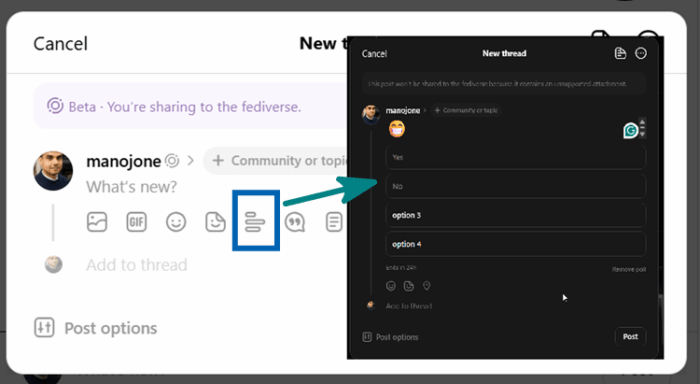
Open the Threads composer and look for the Poll option in the post tools.
Enter your question and add up to four choices. Threads polls run for 24 hours. You can add emojis, stickers, location, and even share your poll on Instagram.
How to Create a Poll on Reddit
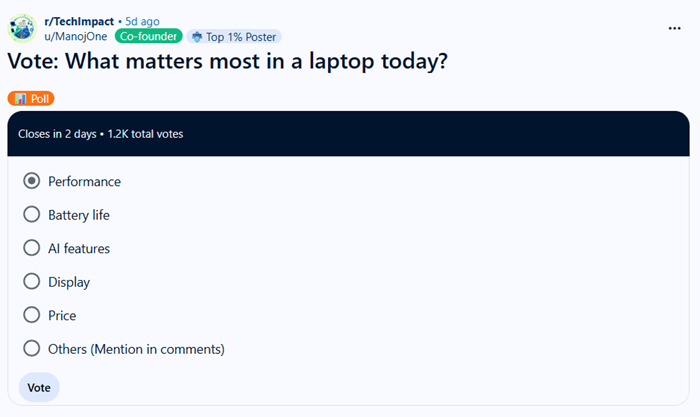
Create a post in the subreddit where you want to run the poll. In the post composer, select the Poll option and enter your question and choices.
Enter up to 6 answer options and post.
The available post types depend on each community, so a poll may not be available in every subreddit. Check the community rules before publishing.
How to Create a Poll on Mastodon

Start a new post and click the bar graph icon to add a poll. Mastodon supports up to four choices, with each choice limited to 25 characters.
You can choose between single-choice and multiple-choice voting and set the poll to expire after 5 minutes, 30 minutes, 1 hour, 6 hours, 1 day, 3 days, or 7 days.
Unlike other platforms we already discussed, Mastodon allows you to decorate polls with images and let users choose multiple options.
For Facebook polls, see our separate guide on how to create a poll on Facebook profiles, Pages, and Groups.
| Heads up: Some of the links in this post are affiliate links. This means I may earn a small commission at no extra cost to you if you make a purchase. |
Best Tools to Schedule Social Media Polls
Most social platforms let you create and publish polls for free, but their native tools are mainly designed for instant publishing. They don’t give you a simple way to plan polls ahead of time.
Poll scheduling tools help you prepare polls in advance and publish them on your chosen date and time.
These are the best tools to schedule social media polls,
1. Social Champ
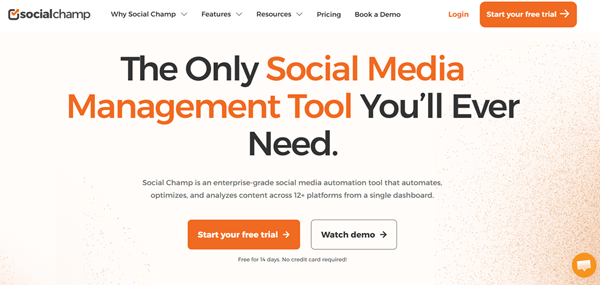
Social Champ supports poll scheduling for X and LinkedIn. Create polls in connected accounts, add relevant hashtags, and schedule them at peak times. This ensures maximum votes and engagement on your polls.
For teams, Social Champ offers visual calendars, bulk scheduling, smart queues, recurring posts, hashtag management, and approval workflows. You can customize posts for each profile.
Creating workspaces is another advantage. This is very useful to organize your multiple projects or client campaigns in separate dashboards.
The X (Twitter) integration is not available in Social Champ’s base plans. For that, you should activate an add-on.
Key Features
Pricing: $23.20/mo
They have premium support and a 7-day free trial. Social Champ is ideal for individuals, businesses, agencies, and enterprises.
2. Circleboom
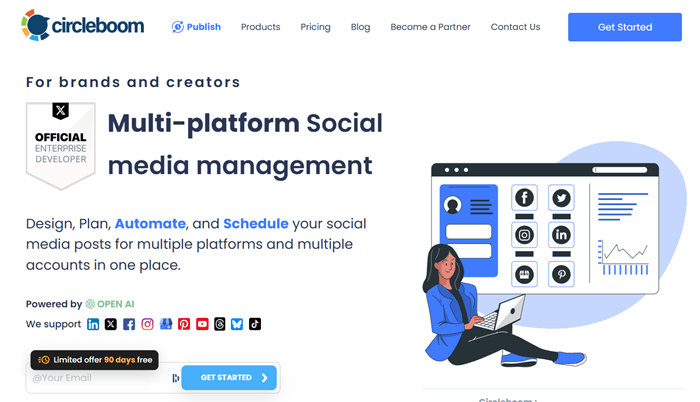
Circleboom lets you create and schedule X and LinkedIn polls from one dashboard. You can add the question and answer choices, set the poll duration, choose the audience, and schedule it for a future date and time. It also supports multiple LinkedIn profiles and Company Pages.
Beyond polls, Circleboom supports content scheduling covering bulk scheduling, queues, recurring posts, RSS automation, content curation, AI content generation, and more. You can schedule and publish videos, reels, and stories across networks.
You can add team members, create user roles, set permissions, and set up content approval workflows.
Key Features
Pricing: $24.99/mo
Circleboom has premium support and a 90-day free trial (limited period) on all plans. It is a great tool for social media marketing and X account management.
3. Metricool
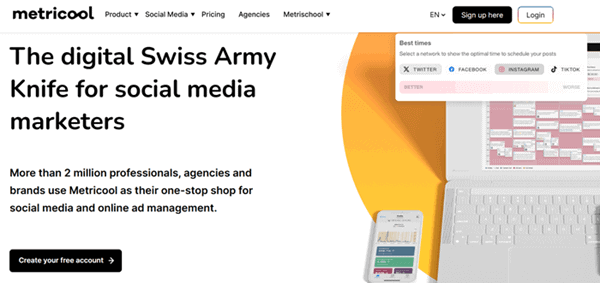
Metricool lets you create and schedule native polls on X and LinkedIn from its Planner. Add the question, answer choices, poll duration, caption, date, and time before scheduling. Its calendar also lets you filter scheduled content by poll type, making planned polls easier to manage.
Create unlimited content, repurpose, or share them at optimal times on connected accounts. Metricool offers a visual content calendar, bulk scheduling through CSV, best-time suggestions, recurring content, analytics, and automated reports.
There are collaboration features for teams and clients. You can assign roles and permissions, use approval workflows, and leave internal notes on content. Similar to Social Champ, you should activate a separate add-on for X scheduling.
Key Features
Pricing: $20/mo
Metricool has a premium customer support and a free plan with basic features. For social media managers and teams, it is a powerful option to automate campaigns and boost social media traffic.
4. Fedica
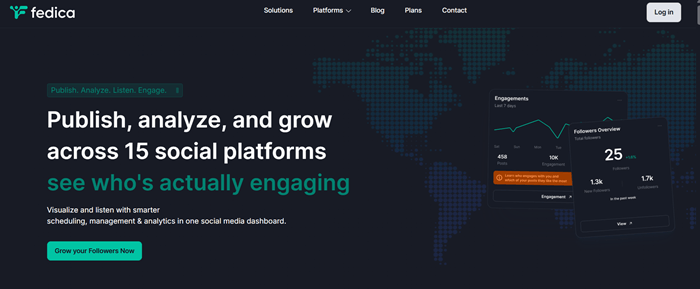
Fedica lets you create and schedule polls on X, LinkedIn, Threads, and Mastodon. You can create one poll and publish it across all four networks, or select just one platform.
Poll scheduling is currently free, with no paid plan required. You can also use custom posts to adjust the wording for each network.
Beyond polls, Fedica offers social media scheduling, a content calendar, bulk uploads, RSS automation, and AI-assisted content editing. It delivers valuable insights about your X followers and helps you detect unfollowers easily.
For teams, Fedica supports unlimited team collaboration, allowing members to review drafts, provide feedback, and refine posts before publishing. It also combines scheduling with analytics, audience research, social listening, and follower analysis.
Key Features
Pricing: $10/mo
Fedica is free for up to 12 social accounts. They have premium email support in all paid plans.
Final Thoughts
Social media polls are a simple way to turn passive followers into active participants. A well-written question can help you learn what your audience wants, collect feedback, start conversations, and find ideas for future content.
The key is to keep your polls simple. Ask one clear question, use easy answer choices, and give people enough time to respond. Once the poll ends, look beyond the final vote count. Comments and responses can reveal valuable ideas for your content and marketing plans.
If you manage several social accounts, scheduling tools can save time. Social Champ, Circleboom, Metricool, and Fedica support poll scheduling across selected social networks, making it easier to plan interactive content ahead of time.
Start with a few relevant questions, track the response, and learn from the results. With the right approach, social media polls can become a regular part of your content strategy rather than just another post in your calendar.