

Direct Answer
WP Rocket is a premium WordPress caching plugin that improves site speed through page caching, CSS/JS minification, database optimization, and lazy loading. Its biggest pro is its ease of use, applying recommended settings automatically upon activation. The main con is the lack of a free version. Pricing starts at $59/year and includes a 14-day money-back guarantee.
Looking for WP Rocket reviews? If so, your search probably ends here. Today, we’re going to review WP Rocket and analyze its key features to guide you on the product.
Speed is the crucial factor that determines your search engine rankings and traffic. Your pages should load quickly to place them at the top of search results, ensuring regular traffic to them.
No one likes slow websites. And Google, too. If your website takes a long time to load, Google will degrade its ranking and push it to the bottom. Needless to say, it will negatively affect your page visits, sales, and revenue.
Several things cause slow loading issues. WordPress optimization is one of them. We should optimize the website regularly to remove unwanted garbage files and smooth the content delivery.
| Heads up: Some of the links in this post are affiliate links. This means I may earn a small commission at no extra cost to you if you make a purchase. |
What is WordPress Caching?
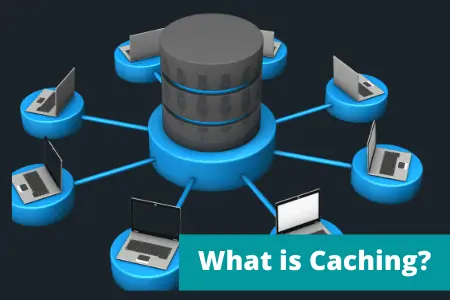
When someone clicks on your WordPress post or page, communication will be sent to the server (where it is stored) to fetch your entire content. It creates a two-way connection between both points, which is repeated for every user. If your site gets so many hits, it may place a huge burden on the server, which will also diminish your page performance. So WordPress will cache your content to reuse or serve previously generated data to the visitors. It is known as caching.
Creating static files results in the fast rendering of your pages and improves your website’s performance. Users will get the most recent versions of your content, but it may not be a live copy. Fortunately, WordPress users can use plugins to enable caching and delete the first generated cached data from the site.
What is WP Rocket?
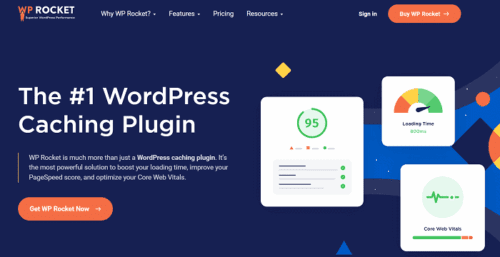
WP Rocket is the #1 caching plugin for WordPress. Not only caching, but it can also do several things on your site, like minification, database optimization, GZIP compression, and more, to reduce your page loading time and boost search engine rankings.
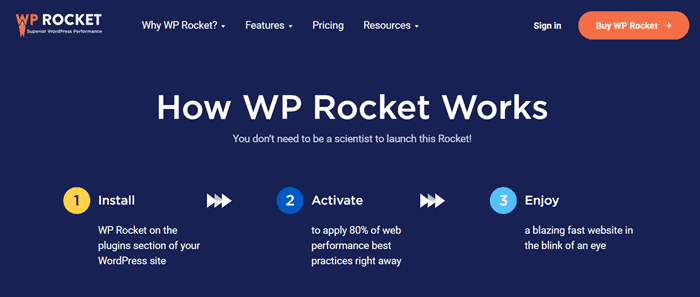
Upon activation, the recommended settings will automatically be applied to your site. Just install and activate the plugin to see the magic. No need to configure any complex settings.
Key Features
Rating
Pricing
$3/mo
WP Rocket can store your frequently accessed resources on user devices (desktop and mobile) to load them faster and reduce your bounce rate. It will also preload the cache whenever you update posts and pages. Hence, visitors will not experience slow-speed issues.
Minification is a major part of WP Rocket. It minifies and combines CSS and JavaScript files to reduce their size and improve performance. Themes and plugins often include multiple JavaScript files to ensure smooth operation. But sometimes, they take longer to load, and in the meantime, other resources are hampered during download. It may result in page formatting issues or blank spaces appearing on your pages.
This is why you get warnings like eliminating render-blocking resources on GTmetrix and Pingdom. There are two ways to remove this warning: either load JavaScript files in the website footer or defer them to stop other resources from being blocked from downloading. WP Rocket simplifies this process and lets you defer JavaScript files in one click to increase page speed.
Database optimization is another part of WP Rocket. It lets you remove post revisions, trashed posts, spam comments, and many others that slow down your pages on a recurring schedule.
WP Rocket can also lazy-load images and videos so they will load only when a visitor gets near them. Thus, you can save image bandwidth and reduce page loading time.
They have a premium support and 14-day money back guarantee.
Want a faster WordPress website without spending hours on configuration? WP Rocket makes speed optimization simple with powerful caching and performance features.
Get WP Rocket Now →WP Rocket Review 2026
WP Rocket is an all-in-one web performance solution for WordPress. It will cache pages, reduce file size, and optimize the database to make your site lightweight and load fast.
When someone visits pages from a mobile, it will identify their device type and serve a mobile-specific caching version to them. It is ideal for increasing smartphone visitor numbers and providing them with a better browsing experience.
These are the top reasons why we love WP Rocket over other caching plugins,
1. Easy to use
Install and activate. That’s it. Customizing is unnecessary, as WP Rocket automatically applies recommended settings to your site.
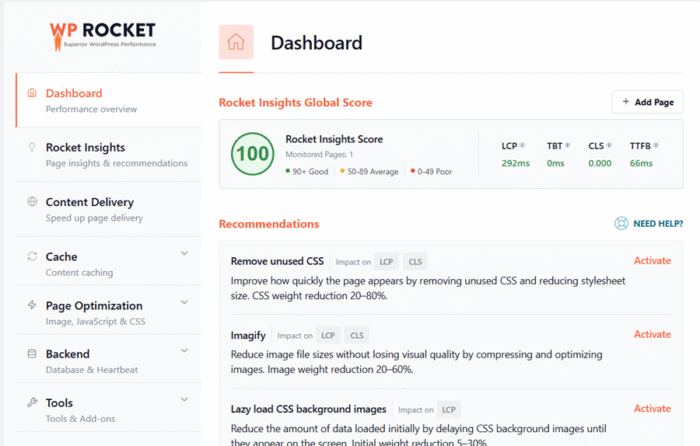
WP Rocket has a clean and beautiful interface. After activation, you will see a top admin bar link to clear and preload the cache in one click.
Add your target pages to Rocket Insights and the plugin will monitor it, and display its page speed statistics on GTmetrix with daily updates. You will also see suggestions to improve loading time.
2. Cache
The most common caching types can be divided into two,
Browser caching: Browser cache is a technique that stores your static files, such as images, HTML code, JavaScript and CSS, on the user’s browser. When they revisit your site, their browser can retrieve these files from the cache instead of having to download them again. This results in faster load times and a smoother browsing experience.
Page caching: Page cache is a mechanism that stores a static version of your web pages. When a user visits your site, instead of generating the page from scratch every time, the cached version is served up quickly. This eliminates the need for time-consuming database queries and resource-intensive processes, resulting in lightning-fast load times.
By implementing page cache, you can experience a remarkable improvement in your website’s speed. Users will no longer have to wait impatiently for your content to load, reducing bounce rates and increasing engagement. Additionally, search engines like Google prioritize fast-loading websites, so having an optimized page cache can also improve your SEO rankings.
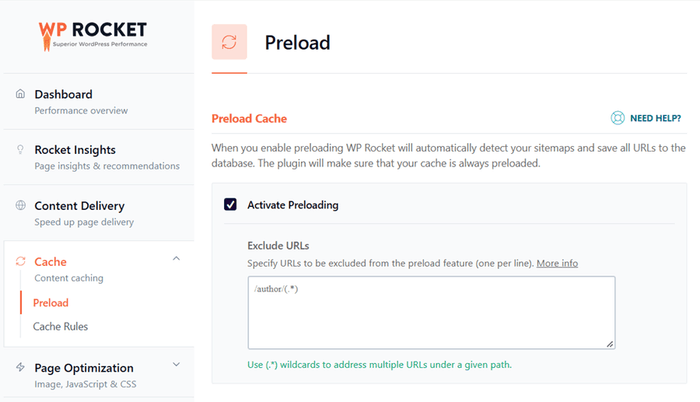
WP Rocket makes it easy to implement browser and page caching on your website to increase performance. It can also preload cache, links, and fonts to remove page speed test warnings and enhance user experience.
Head to Cache rules on the left sidebar to set a cache lifespan and exclude certain URLs, cookies, or user agents from caching,
Related settings:
3. Database optimization
Database optimization is a crucial aspect of maintaining a high-performing website. In WordPress, it refers to the process of improving the efficiency and speed of your database operations.
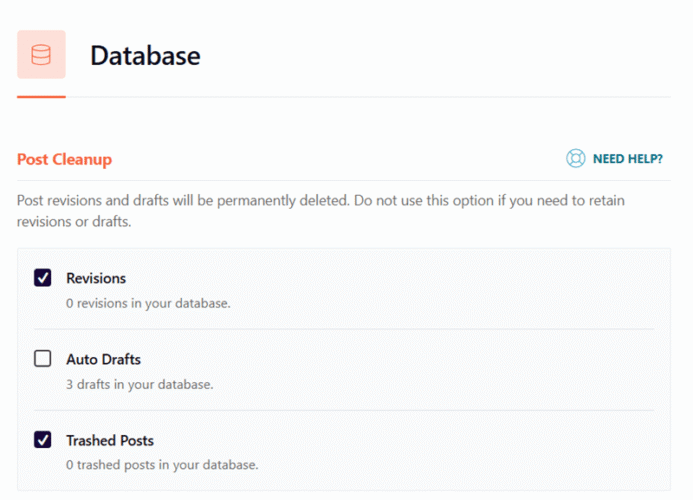
WP Rocket will help you to delete post revisions, trashed posts, spam and trashed comments, transients, etc, automatically. Thereby, it reduces the size of your database, eliminates unnecessary data, and optimizes queries for faster information retrieval. So you don’t need to install a separate plugin (Eg. WP Optimize) for this purpose.
Set a schedule when you want to run the optimizer such daily or weekly. WP Rocket will do the rest.
Related settings:
4. File optimization
WP Rocket will minify, combine, and optimize CSS files to improve your page loading time. It can also do the same thing on JavaScript files.
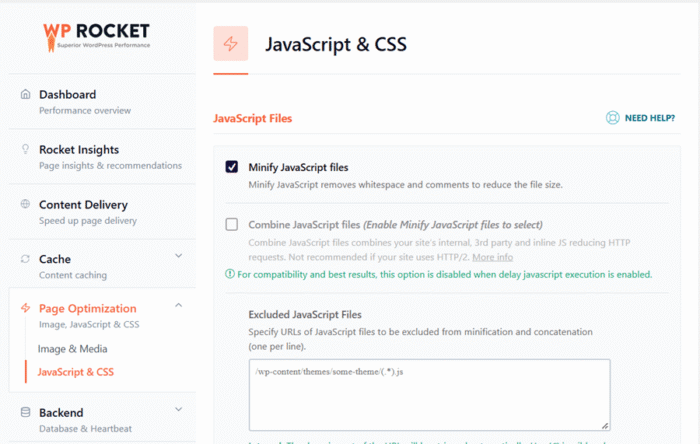
Both file types are essential for any WordPress site to handle various operations. But at the same time, they may slow down your pages, too. So, you should minimize them to reduce the file size. Combining files helps you to reduce HTTP requests and bounce rates on pages.
WP Rocket can defer loading JavaScript files to fix slow speed issues and improve user experience. It is also possible to delay the execution until the user performs any actions like scrolling, mouse clicks, etc.
Related settings:
5. Media optimization
Images and videos can bring more visitors to your pages. But if you are not optimizing them properly, it will be a problem.
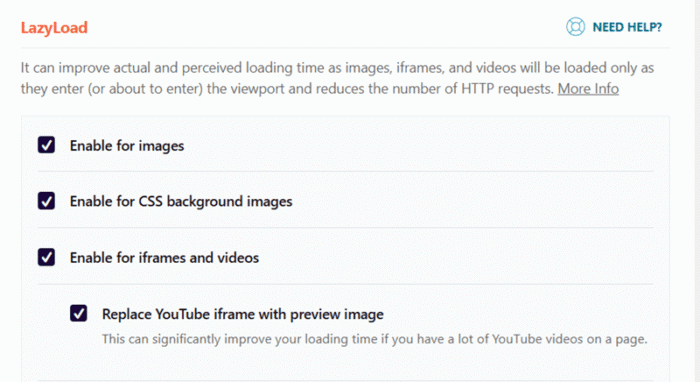
WP Rocket can lazy-load your media files easily to serve them only when needed. By default, images and videos will load when someone opens your page. However, with lazy loading, they will load only when a visitor reaches them. This technique is useful for increasing your page performance and reducing bandwidth usage.
Related settings:
6. Rocket Insights
Not sure which pages on your website need speed improvements? That’s where Rocket Insights comes in.
It gives you a closer look at your website’s performance, with speed reports and page-level metrics to help you spot problems.
You also get recommendations for WP Rocket features based on your test results. For example, a page may need better image optimization or CSS delivery. Rocket Insights comes at no extra cost with your WP Rocket license.
7. Built-in CDN
WP Rocket now includes RocketCDN Free directly in its Content Delivery tab. It helps your website serve images, CSS, JavaScript, and other files from servers closer to your visitors. This reduces loading delays, especially for people visiting from faraway locations.
The free CDN covers three key pages and uses 10 global edge locations, with unlimited bandwidth. Need full website coverage? You can upgrade to RocketCDN Pro for $7.99 per month. You don’t need another plugin or a separate account to get started.
8. Add-ons
WP Rocket also offers several add-ons to improve compatibility with popular services. You’ll find options for Cloudflare, Sucuri, and Varnish, along with WebP compatibility support.
These integrations help WP Rocket work smoothly with your existing caching, security, and image delivery setup. For example, the Cloudflare add-on lets you clear its cache directly from your WordPress dashboard. You don’t need to visit your Cloudflare account for every purge.
Most add-ons require just a few clicks to activate. They are included with your WP Rocket plugin license, so you don’t need a separate subscription.
9. 14-day money-back guarantee
WP Rocket comes with a 14-day money-back guarantee. Buy this awesome plugin and use it for up to 2 weeks for free. If you are not satisfied, contact their friendly customer support and raise your refund request. You will get the amount back.
They have more than 4.9 million customers as of this writing. You will see the Rocket magic immediately after the plugin activation. It will prevent you from asking for a refund.
10. Attractive discounts
WP Rocket provides attractive discounts on license renewals and upgrades. You can expect up to 50% discount on validity extensions. It also allows you to upgrade the license by paying the difference in amount.
I bought a single site license two years back, later renewed it, and upgraded it to use on all my websites. Read my honest experience on WP Rocket in later sections.
14 Days Money-Back Guarantee
If, for any reason, you don’t like this amazing plugin, you can get a full refund anytime within 14 days of your purchase. If you have any issues, just get in touch with their friendly support team, and they’ll either help you out until you get the results you need or give you a swift refund.
My thoughts
WP Rocket is a great WordPress caching plugin that can increase your website speed and boost SEO. Its caching features, CSS and JavaScript optimization, lazy loading, and CDN support give you several ways to improve website performance.
You can also schedule database optimization and remove unwanted data automatically.
The simple dashboard is another plus, especially if you don’t want to spend hours tweaking settings. Monitor Rocket Insights and follow suggestions to further improve your page speed.
So, is WP Rocket worth buying? If you want an easy-to-use caching plugin with plenty of performance features, it’s worth considering.
If you are a beginner, go with the Single license plan. It lets you host WP Rocket on 1 site with all the features discussed in this post. Multiple website owners can choose the Plus plan and install the plugin on up to 3 websites. For businesses, it is better to go with the Multi plan to install WP Rocket for up to 500 websites.
Ready to improve your website speed? Give WP Rocket a try and enjoy simpler WordPress performance optimization with minimal setup.
Explore WP Rocket →WP Rocket Pricing
| Single | Plus | Multi |
|---|---|---|
| 1 Website | 3 Websites | 50 Websites |
| $3/mo | $6/mo | $15/mo |
WP Rocket has three types of subscription plans. It requires annual recurring payments to get regular updates and support. However, licensing doesn’t affect the plugin’s functioning in any way, and it will still run on your site, regardless of its validity.
If you have a single website, a Single plan is enough for you, which costs $3/mo. Multisite owners can opt for the Plus plan to run on up to three websites for $6/mo. The Infinite plan enables you to run WP Rocket on 50 websites for $15/mo. These discounted rates are valid for 3 years.
They also offer two more subscription plans to run WP Rocket on up to 500 websites, including client websites. You can go with 3 year plan to save more. The Single licence costs $1.95, Plus licence $3.91, and Multi licence $9.79 per month for 3 years.
The prices mentioned in this post reflect WP Rocket’s exclusive Black Friday and Cyber Monday offers. WP Rocket is currently offering 60% off all plans. These discounted rates are available until November 27 only.
WP Rocket Recommended Settings
WP Rocket automatically applies basic recommended settings to your site. Still, it contains more options to improve your page performance.
After activation, head to WP Rocket settings to explore features. On the left pane, you will see options to access various tools and features.
1. Page optimization
Minify JavaScript files: ✅
Combine JavaScript files: ✅ (This option will be disabled automatically if delay javascript execution is selected)
Load JavaScript deferred: ✅
Delay JavaScript execution: ✅
Safe mode for delay JavaScript execution: Not recommended
Minify CSS files: ✅
Optimize CSS Delivery: ✅
On this page, you can exclude certain files from minification, defer, and delay execution. Enter file URLs one per line in respective boxes for excluding. After activating each option, open your website in a new tab (private window) to ensure it loads smoothly.
2. Lazyload
Enable for images: ✅
Enable for CSS background images: ✅
Enable for iframes and videos: ✅
Replace YouTube iframes with preview image: ✅
Add missing image dimensions: ✅
Preload fonts: ✅
Self host Google Fonts: ✅
3. Preload
Activate preloading: ✅
Preload links: ✅
4. Advanced Rules
Cache lifespan: 24 hours
Never cache URLs/Naver cache cookies/Never cache user agents/Always purge URLs/Cache query strings: Leave as blank.
5. Database
Revisions: ✅
Auto drafts: ✅
Trashed posts: ✅
Spam comments: ✅
Trashed comments: ✅
All transients: ✅
Optimize tables: ✅
Schedule automatic cleanup: Daily
6. Heartbeat
Control heartbeat: ✅
Reduce or disable heartbeat activity: Reduce activity (all options)
7. Add-ons
User cache: Enable it if you have a membership website (creates a separate set of cache URLs for each logged-in user)
Varnish: ✅ (Purge cache whenever WP Rocket clears your website cache to serve up-to-date content)
WebP compatibility: ✅ (If you are using an image optimization plugin that can serve WebP images, disable this add-on)
Cloudflare: Cloudflare CDN users should enable it
Sucuri: Sucuri users should enable it
WP Rocket vs W3 Total Cache
W3 Total Cache is a free WordPress caching plugin. I had used it before. Later, when I saw that the website was slow and broke a couple of times, I removed it as per the instructions of the SEO developers.
Let us make a quick comparison of their features,
| WP Rocket | W3 Total Cache | |
|---|---|---|
| Minification | Yes | Yes |
| Defer CSS and JavaScript | Yes | Yes |
| Image lazy loading | Yes | Yes |
| CDN management | Yes | Yes |
| GZIP Compression | Yes | Yes |
| Mobile caching | Yes | Yes |
| Advanced caching rules | Yes | Yes |
| Clean dashboard | Yes | No |
| Easy to configure | Yes | No |
| Database optimization | Yes | No |
| WordPress Heartbeat control | Yes | No |
| Fast customer support | Yes | No |
| Free version | No | Yes |
| Premium pricing | $3/mo | $99/yr |
W3 Total Cache is difficult to configure. There are a lot of complex settings that can only be managed by people with accurate knowledge of WordPress caching. Some settings may even cause your website to break. Many such experiences are on W3 Total Cache’s WordPress support forum.
On the other hand, WP Rocket is easy to use. After activation, it automatically applies recommended settings to your site. If you need any clarification, visit their huge knowledge base of how-to guides or contact their friendly customer support for further assistance.
WP Rocket is priced at $3/mo for 1 site. However, W3 Total Cache Pro costs $99 annually, with added features and premium support. Still, WP Rocket does not offer many advanced features.
Looking for an easier way to optimize your WordPress site? WP Rocket combines caching and speed optimization features in one beginner-friendly plugin.
Try WP Rocket Today →FAQ