Direct Answer
To write an SEO title, choose a keyword that matches the page and search intent. Use the keyword naturally in a clear and concise title, explain the value of the content, and avoid keyword stuffing. Keep the most important words near the beginning, make the title unique, and ensure it accurately matches the page content. A good SEO title helps search engines understand the page while giving people a reason to click.
Writing a good SEO title is one of the simplest on-page SEO tasks, yet it is easy to get wrong.
A title needs to tell Google what a page is about while giving searchers a reason to click. It also needs to fit the actual content on the page.
Stuffing keywords into a title or making an exaggerated promise may look optimized, but it creates a poor search result.
If you run a blog, small business website, or online store, learning how to write an SEO title gives you a practical way to improve your pages.
You do not need complicated SEO techniques. You need the right keyword, a clear understanding of search intent, and a title that communicates the value of the page quickly.
This guide explains how to write SEO titles step by step. You will also find examples, title formulas, common mistakes, WordPress tips, and a checklist you can use before publishing a page.
- What Is an SEO Title?
- Why SEO Titles Matter for Search and Clicks
- How to Write an SEO Title Step by Step
- SEO Title Examples for Blogs and Websites
- SEO Title Formulas You Can Use
- How to Write Attention-Grabbing Page Titles Without Clickbait
- SEO Title vs H1: What's the Difference?
- How to Write SEO Titles for Different Page Types
- Why Google Sometimes Changes Your SEO Title
- How to Improve Existing SEO Titles
- How to Measure the Results of a New SEO Title
- How to Add an SEO Title in WordPress
- SEO Title Checklist
- Final Thoughts
- FAQ
What Is an SEO Title?
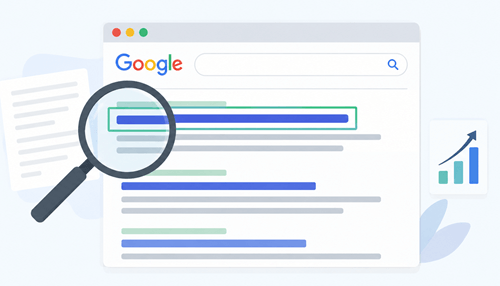
An SEO title is the title specified in the HTML <title> element of a webpage. It is commonly shown as the clickable title of a result in Google Search and also appears in the browser tab.
SEO tools and WordPress plugins may call it an SEO title, title tag, meta title, or page title. These terms usually refer to the same basic element.
A simple HTML example looks like this:
<title>How to Increase Website Traffic: 15 Simple Ways</title>
The title tells visitors and search engines what the page is about. It is also one of the first pieces of information a person sees when scanning a search results page.
Google does not always use the exact <title> element you provide. Its systems may use the visible page title, H1, headings, og:title, prominent text, anchor text, links pointing to the page, and other sources when creating a title link.
Does it mean that your SEO title is not important?
No. It means you should keep the title, H1, and page content aligned.
For example, suppose you publish a guide about website traffic. A title such as “How to Increase Website Traffic: 15 Simple Ways” tells the reader exactly what to expect. A title such as “Website Traffic Tips” gives very little information.
A good SEO title should be:
- Descriptive
- Concise
- Relevant to the page
- Easy to understand
- Unique
- Written for people first
- Related to the target search query
Google recommends clear, short titles and advises against keyword stuffing and using the same title on multiple pages.
Why SEO Titles Matter for Search and Clicks

An SEO title has two jobs. It helps search engines understand the topic of a page, and it helps searchers decide which result deserves their attention.
A page might rank well but still receive fewer clicks if its title is vague, confusing, or poorly matched to what the searcher wants.
Think about a Google results page for best WordPress hosting for beginners.
Compare these two titles:
Option 1:
WordPress Hosting
Option 2:
10 Best WordPress Hosting Services for Beginners
The second title gives the searcher more information. It identifies the topic, format, and audience. A person looking for beginner-friendly hosting immediately knows what the page promises to cover.
Google describes title links as a key source of information that helps people understand a search result and decide which result to visit.
There is also an SEO benefit to writing clear titles. Use words people would use to find your content and place those words in prominent locations, including the title and main heading.
A title alone will not make a weak page rank. Search visibility depends on the overall quality and relevance of the page. Your title should support the content rather than make promises that the content does not fulfill.
This is especially important for small websites. A clear title gives your page a better chance of communicating its value when it appears beside established competitors.
How to Write an SEO Title Step by Step
The easiest way to write a good SEO title is to treat it as a small piece of sales copy with an SEO purpose. Start with the searcher’s goal, identify the main topic, then build a concise title around the result the reader wants.
Do not begin by adding a keyword to a random sentence. First, decide what the page should rank for and what someone searching that term expects to find. Then turn that information into a title that sounds natural.
Here is a simple process you can follow.
1. Understand the Search Intent
Search intent is the reason behind a search query. Before you write an SEO title, ask what the person wants to accomplish.
For example, consider these searches:
- How to speed up WordPress
- Best WordPress hosting
- Hostinger vs Bluehost
- WordPress hosting pricing
- How to install WordPress
Each query has a slightly different purpose.
Someone searching for how to speed up WordPress wants instructions. A title such as:
How to Speed Up WordPress: 10 Quick Fixes
fits that intent.
Someone searching for the best WordPress hosting is comparing services. A title such as:
10 Best WordPress Hosting Services for 2026
fits that search more closely.
Someone searching for Hostinger vs Bluehost wants a comparison. A title such as:
Hostinger vs Bluehost: Which Hosting Is Better?
sets the right expectation.
Look at the pages appearing for your target query before writing your title. Study the format, wording, freshness signals, and topics covered by the top results. You are not trying to copy their titles. You are learning what the search results tell you about the query.
Make the main heading or page title a descriptive summary of the content and avoid exaggerated or shocking titles.
2. Choose the Primary Keyword
Start by choosing one main keyword that clearly describes what your page is about. It should also match what people search for when they need information about that topic.
For example, if you are writing a post about social media marketing, your primary keyword could be social media marketing tips.
Related keywords might include:
- social media marketing strategies
- social media marketing ideas
- social media tips for businesses
- how to market on social media
- social media marketing for beginners
You don’t need to use all these keywords in your SEO title. Adding too many keywords can make the title look forced and difficult to read.
Choose one main keyword for the title and use related phrases naturally throughout the article.
For example:
12 Social Media Marketing Tips to Grow Your Business
This title includes the main keyword naturally and tells readers what they can expect from the article.
3. Put the Main Keyword in a Natural Position
Once you have chosen your primary keyword, add it to the SEO title where it sounds natural.
Placing it near the beginning is a good approach when it makes the title clear and easy to read. It also helps readers quickly understand what your page is about.
For example, if your primary keyword is social media marketing strategies, you could write:
10 Social Media Marketing Strategies for Small Businesses
The keyword appears near the beginning, and the rest of the title clearly explains what the article covers.
You could also write:
10 Effective Strategies for Successful Social Media Marketing
Here, the keyword appears later in the title, but the sentence still sounds natural.
There is no need to force the keyword into the first few words if doing so makes the title awkward. Avoid titles like:
Social Media Marketing: Social Media Marketing Strategies for Social Media
This repeats the same words without adding any useful information.
The goal is to use your primary keyword naturally while making the title clear and appealing to readers.
4. Match the Title to the Content
Your title should accurately describe what visitors will find after they click.
If your title says:
20 Best WordPress Speed Optimization Plugins
the article should actually review or discuss 20 plugins.
If you only discuss eight, the title creates the wrong expectation.
The same rule applies to dates. If you use 2026 in a title, make sure the page is actually current for 2026. Review the content when the year changes.
Google specifically identifies outdated and inaccurate title elements as reasons its systems may generate a different title link.
A simple test works well:
If someone reads only the title, will they have an accurate idea of what the page contains?
If the answer is no, rewrite it.
5. Make the Benefit Clear
A title becomes more attractive when it tells the reader what they will get from the page.
Compare:
SEO Title Tips
with:
10 SEO Title Tips to Get More Organic Clicks
The second version communicates a clearer benefit.
For a blogging article:
How to Start a Blog
is straightforward.
A more specific version might be:
How to Start a Blog in 2026: Step-by-Step Guide
The right choice depends on the page itself.
Benefits do not always need to be dramatic. Words such as guide, checklist, examples, steps, for beginners, and comparison help communicate the format or purpose of a page.
6. Make the Title Attention-Grabbing
Search results are filled with millions of pages. Your title needs to communicate your content value quickly.
You might use:
- A number
- A specific result
- A target audience
- A year
- A useful modifier
- A question
- A clear benefit
- A comparison
For example:
WordPress SEO
is broad.
WordPress SEO for Beginners: 15 Practical Tips
is more specific.
The second title gives the reader a clearer reason to click because it identifies the audience and the format.
Attention-grabbing does not mean using sensational language. A title such as “This Secret SEO Trick Will Explode Your Traffic Overnight” creates expectations that most legitimate SEO articles cannot support.
SEO experts advise against titles that exaggerate or use shocking language.
A good title earns attention through relevance and clarity.
7. Keep the Title Concise
There is no official character limit that every SEO title must follow. Google states that <title> elements do not have a fixed length limit.
Search result title links are shortened when necessary to fit the available display space.
This is why the old rule of keeping every title at exactly 50–60 characters is too rigid.
Still, concise titles are easier to scan. If your title is very long, important information might not appear in the visible portion of the result.
For example:
How to Write a Meta Description: 12 Simple Tips for Bloggers and Small Business Website Owners
could work, but it may be too long for some search displays.
A shorter version:
How to Write a Meta Description: 12 Simple Tips
gets the core message across faster.
Focus on meaning rather than hitting a specific character number.
8. Add Your Brand When It Helps
A brand name may help visitors recognize your website, especially when people already know your business.
For example:
Best WordPress Hosting for Small Businesses | WP Explorer
works if the brand adds value and the total title remains readable.
You do not need a long brand slogan on every page.
Keep your brand name short and avoid repeating the same branding on every title.
A simple format works well:
Primary Topic: Benefit | Brand
For example:
How to Speed Up WordPress | WP Explorer
or:
Best WordPress Themes for Blogs | WP Explorer
For a homepage, you may have more room to explain the business. For internal pages, keep the brand portion compact.
SEO Title Examples for Blogs and Websites
The right title depends on the search intent and page type, so a title that works for a blog post may not work for a service page.
Here are a few examples:
| Page topic | Weak title | Better SEO title |
|---|---|---|
| SEO plugins | SEO Plugins | 10 Best WordPress SEO Plugins for Bloggers |
| VPS hosting | VPS Hosting Services | Best Cheap VPS Hosting Services for Small Businesses |
| Keyword research | Keyword Research | Keyword Research for SEO: A Beginner’s Guide |
| Blog themes | WordPress Themes | 15 Best Lightweight WordPress Themes for Blogs |
| Website backups | WordPress Backup | Best WordPress Backup Plugins for Your Website |
| Hosting comparison | Hosting Comparison | Hostinger vs Bluehost: Which Is Better? |
| SEO audit | SEO Audit Tips | How to Perform an SEO Audit: Step-by-Step Guide |
| Blog writing | Blog Writing Guidance | How to Write a Blog Post That Gets Search Traffic |
| Page speed | Improve Website Speed | How to Improve Website Speed and Core Web Vitals |
Note that the improved titles do not rely on excessive keyword repetition. They tell the reader what the page covers and add context where it helps.
A title such as SEO Audit leaves a lot unanswered. A title such as How to Perform an SEO Audit: Step-by-Step Guide immediately communicates the page format and topic.
SEO Title Formulas You Can Use

A formula gives you a starting point when you are stuck. It should not become a template that you apply to every page.
If every article on your site follows the same pattern, your titles may start looking repetitive.
Use these formulas as frameworks and adapt them to the actual content.
How-to Formula
How to [Achieve Result]: [Number] [Adjective] Ways
Example:
How to Create Business Emails: 12 Easy Ways
List Formula
[Number] Best [Topic] for [Audience/Purpose]
Example:
10 Best WordPress Plugins for Photographers
Comparison Formula
[Option A] vs [Option B]: Which Is Better?
Example:
Cloud Hosting vs VPS Hosting: Which Is Better?
Beginner Guide Formula
[Topic] for Beginners: A Step-by-Step Guide
Example:
Technical SEO for Beginners: A Step-by-Step Guide
Problem-Solving Formula
How to Fix [Problem] and [Desired Result]
Example:
How to Fix Slow WordPress Pages and Improve Load Times
Benefit Formula
[Topic]: How to [Desired Outcome]
Example:
Internal Linking: How to Help Readers Find More Content
The best formula is the one that accurately describes the page. Do not add numbers, years, or promises simply because they appear in popular titles.
How to Write Attention-Grabbing Page Titles Without Clickbait
An attention-grabbing page title should make the searcher curious while remaining honest. This is especially important for blogs and small business websites because trust affects how people perceive your brand.
Start with specificity.
Compare:
Healthy Recipes
with:
15 Healthy Dinner Recipes for Busy Families
The second title tells readers exactly what they will find in the article and who it is meant for.
You can also make the outcome more obvious:
10 Quick Breakfast Recipes to Save Time in the Morning
Here, the reader knows what the article is about and what benefit to expect.
Do not create a list of 10 items just to use the number 10. The number should come from the content.
Freshness also helps when the topic genuinely changes over time.
For example:
Best WordPress Hosting Services for 2026
makes sense when the article includes current services, pricing, features, and recommendations.
A year is less appropriate for an evergreen tutorial that has not changed.
You should also avoid empty superlatives. Words such as “ultimate,” “secret,” and “revolutionary” add little when the article does not support them.
The goal is simple: make the title interesting enough to earn attention and accurate enough to build trust.
SEO Title vs H1: What’s the Difference?
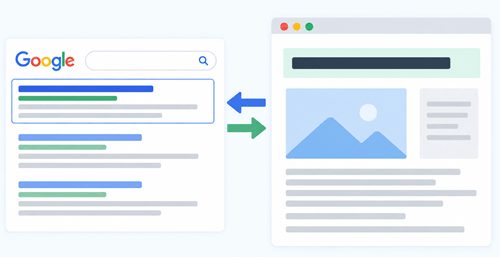
The SEO title and H1 are related, but they are not the same HTML element. The SEO title sits inside the <title> element and is used for the browser title and as a major source for Google’s title link.
The H1 is the primary heading shown within the page.
For example:
SEO title:
Pinterest Marketing Tips: 15 Ways to Grow Your Traffic | Gizory
H1:
15 Pinterest Marketing Tips to Grow Your Traffic
These two elements communicate the same subject while serving separate purposes.
Your SEO title may include the brand name because it needs to work well in search results. The H1 may stay focused on the reader-facing headline.
You do not need to force the two elements to be identical.
Keep the main topic consistent across the title, H1, introduction, and body content.
Search engines uses the visible main title and heading elements as potential sources when generating title links. It recommends making the main title clear and prominent on the page.
How to Write SEO Titles for Different Page Types
A blog post may need an educational title, while a service page needs to communicate what the business offers and who it serves.
What does it mean?
You should understand the page type before writing an SEO title. The title format vary with your page goal.
Blog Posts
Blog titles should communicate the topic and the format of the content.
Example:
How to Start a Travel Blog and Make Money: Step-by-Step Guide
Product Pages
Product titles should identify the product clearly.
Example:
Best Affiliate Programs for Beginners
Avoid adding broad SEO phrases that do not describe the product.
Category Pages
Category titles should describe the category rather than sound like an individual article.
Example:
WordPress Hosting Guides and Reviews
Service Pages
Service titles should identify the service and, when relevant, the target market.
Example:
Social Media Management Services for Small Businesses
Homepage
Your homepage title should explain what the site or business offers.
Example:
Gizory: WordPress, SEO and Web Hosting Guides
Location Pages
If location is part of the search intent, include the location naturally.
Example:
Web Design Services in Kochi | Company Name
Only use a location when the business actually serves that area.
Why Google Sometimes Changes Your SEO Title
You may write one SEO title and later see a slightly different title in Google Search. This does not necessarily mean something is broken.
Google generates title links automatically. Its systems may look at the <title> element, visible page title, H1, other headings, og:title, prominent text, anchor text, links pointing to the page, and WebSite structured data.
Google may adjust the title when the original title is:
- Inaccurate
- Empty or incomplete
- Outdated
- Too repetitive
- Boilerplate
- Difficult to understand
- Inconsistent with the visible page title
For example, suppose an article originally had:
Best Competitor Analysis Tools for 2024
You updated the article for 2026, but forgot to update the title. The visible content may say 2026, while the <title> still says 2024.
Google may select a newer, more relevant title from the page.
This is one reason your SEO title and visible page heading should describe the same subject.
After changing a title, Google needs to recrawl and process the page before the new information appears in Search. This may take several days to several weeks.
How to Improve Existing SEO Titles
You do not need to wait until you publish a new article to improve your titles. Existing pages are excellent candidates for an SEO title review, especially pages that already receive impressions but attract few clicks.
Start with Google Search Console.
Look for pages that have:
- Good impressions
- Relevant search queries
- Low click-through rates
- Rankings that have room to improve
- Titles that do not clearly match the query
The Search Console Performance report provides data for clicks, impressions, queries, pages, countries, and other search performance dimensions.
Next, search for the target query yourself.
Look at:
- The titles of competing results
- The search intent
- The formats appearing in the results
- Whether freshness is important
- The language searchers use
- What your current title fails to communicate
Then write a new title.
For example, suppose a page currently has:
10 Unknown Tourist Attractions in Tokyo
and receives impressions for Best Tourist Attractions in Tokyo.
A more focused title might be:
10 Best Tourist Attractions in Tokyo in 2026
Do not change a title simply because another result uses a certain phrase. Your page still needs to provide a better or more appropriate answer.
How to Measure the Results of a New SEO Title
A title change should have a measurable reason behind it. The main numbers to watch are impressions, clicks, click-through rate, and average position.
Google Search Console is the natural starting point because its Performance report lets you review search traffic by query and page.
Before changing a title, record the recent performance of the page.
For example:
| Metric | Before change |
|---|---|
| Impressions | 20,000 |
| Clicks | 700 |
| CTR | 3.5% |
| Average position | 7.2 |
After the title change, review the page again after enough data has accumulated.
Do not judge the result after a day or two. Search performance moves for several reasons, including ranking changes, seasonality, competitor activity, algorithm updates, and changes in search demand.
A title test is more informative when the rest of the page remains stable.
If impressions remain similar while clicks rise, the title may have improved the result’s appeal.
If rankings fall sharply after a title change, review the page again. The new title may no longer communicate the topic as clearly.
The goal is not simply a higher CTR. A title should attract the right visitors who find the content useful after clicking.
How to Add an SEO Title in WordPress
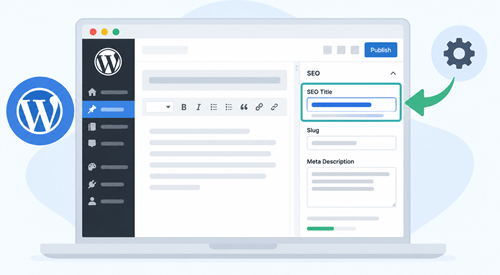
WordPress websites usually make SEO title management simple. Your theme and SEO plugin may automatically use the post title as the HTML <title>, while plugins such as Rank Math, Yoast SEO, and All in One SEO provide dedicated fields for customizing it.
For a blog post, you might have:
Post title:
22 Tips to Pick a Perfect Domain Name for Your Business
SEO title:
How to Pick a Perfect Domain Name: 22 Ways | Gizory
This gives you control over the search result version without forcing the exact same text into the visible heading.
If you manage a WordPress website, check the page source or use your browser’s developer tools to confirm that the page has one correct <title> element.
A basic title element looks like this:
<title>22 Tips to Pick a Perfect Domain Name for Your Business</title>
WordPress normally uses your post title for the <title> element. If you use an SEO plugin and set a custom SEO title, the plugin may use that title instead.
SEO Title Checklist
Before publishing a page, run through this checklist. It takes only a minute and helps catch simple mistakes.
- Does the title accurately describe the page?
- Does it match the search intent?
- Is the primary keyword included naturally?
- Does the title communicate a clear benefit?
- Is the wording easy to understand?
- Is the title unique?
- Is unnecessary repetition removed?
- Is the title concise?
- Is the brand included only when it helps?
- Does the H1 support the same main topic?
- Is the year accurate if one is included?
- Does the page deliver what the title promises?
- Does the title look appealing beside competing results?
You do not need to satisfy an arbitrary character limit to pass this checklist. Focus on relevance, clarity, and accuracy.
Final Thoughts
A good SEO title does more than include a keyword. It tells people what your page is about and gives them a reason to click. The best titles are clear, relevant, and written with the reader in mind.
Start by understanding the search intent behind your target keyword. Then create a title that matches the content, uses the main keyword naturally, and highlights a clear benefit. Keep it concise, avoid keyword stuffing, and make sure it works well with your H1.
Don’t be afraid to improve old titles, too. Check your pages in Google Search Console, look for pages with impressions but few clicks, and test better titles over time.
You don’t need a complicated formula to write better SEO titles. Focus on what your audience wants, explain the value clearly, and make every title honest and easy to understand. That’s the approach that helps both search engines and readers.