Direct Answer
An on-page SEO audit is a review of a webpage to find issues that may affect its search visibility and user experience. It checks important elements such as search intent, keywords, title tags, headings, content, internal links, images, structured data, indexing, mobile usability, and page speed. Reviewing these elements helps you find problems, prioritize fixes, and improve existing pages.
Your page may have great content, yet it may still struggle to rank. A weak title, poor search intent match, missing internal links, slow loading time, or outdated information could be holding it back.
An on-page SEO audit helps you find these issues and fix them.
You don’t need to check every SEO factor at once. A simple, step-by-step review can show what needs attention and where your page has room to improve.
In this guide, you’ll find a practical on-page SEO audit checklist covering keywords, search intent, titles, headings, content, links, images, schema, indexing, mobile experience, Core Web Vitals, and more. Use it to review your existing pages and create a clear list of SEO improvements.
- What Is an On-Page SEO Audit?
- Quick On-Page SEO Audit Checklist
- 1. Check Search Intent First
- 2. Review the Target Keyword
- 3. Audit the Title Tag
- 4. Review the Meta Description
- 5. Check the URL
- 6. Audit the H1 and Heading Structure
- 7. Check the Introduction
- 8. Evaluate Content Quality
- 9. Check Keyword Placement
- 10. Improve Readability
- 11. Audit Internal Links
- 12. Review External Links
- 13. Audit Images
- 14. Check Structured Data
- 15. Check Canonical and Indexing Signals
- 16. Test Mobile Experience
- 17. Check Page Speed and Core Web Vitals
- 18. Check Content Freshness
- 19. Look for Keyword Cannibalization
- 20. Check for Duplicate and Thin Content
- 21. Compare the Page With Current Search Results
- 22. Make Content Easy for AI Search to Understand
- 23. Optimize for Featured Snippets
- 24. Review E-E-A-T Signals
- 25. Check Accessibility and User Experience
- 26. Check Conversion Elements
- How to Perform an On-Page SEO Audit Step by Step
- Step 1: Choose the page
- Step 2: Identify the primary topic
- Step 3: Check search intent
- Step 4: Check indexing
- Step 5: Review the title and meta description
- Step 6: Review the URL and headings
- Step 7: Audit the content
- Step 8: Review internal links
- Step 9: Review images and structured data
- Step 10: Check page experience
- Step 11: Compare with search results
- Step 12: Prioritize fixes
- Step 13: Make the changes
- Step 14: Monitor the results
- Best On-Page SEO Audit Tools
- How Often Should You Perform an On-Page SEO Audit?
- Final Thoughts
- FAQ
What Is an On-Page SEO Audit?
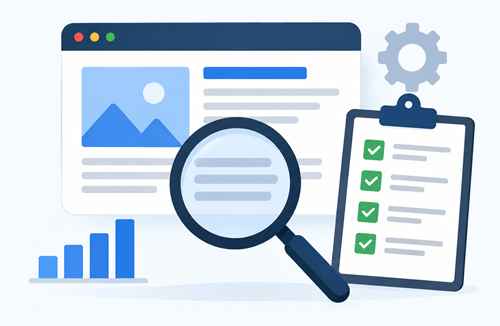
An on-page SEO audit is a review of a webpage to find issues that may affect its visibility in search results. It looks at the parts of a page that you control, such as the title, headings, keywords, content, URLs, internal links, images, and meta description.
The audit also checks whether the page matches the search intent behind its target keyword. You may also review basic technical elements, such as indexing, canonical URLs, mobile usability, and page speed.
The goal is simple: find what is working, identify what needs improvement, and make changes that help both search engines and visitors understand the page. A regular on-page SEO audit also helps you keep older content accurate, relevant, and competitive as search results change.
On-page SEO vs. technical SEO
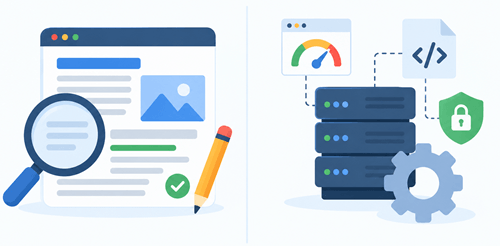
On-page SEO and technical SEO work together, but they focus on separate areas.
On-page SEO deals with the content and elements visitors see, such as titles, headings, keywords, links, and images. Technical SEO focuses on how search engines crawl, index, and access your website.
When you audit a page, checking both areas gives you a clearer picture of its SEO health and helps you find problems that may affect its performance.
On-page SEO focuses mainly on the content and elements of an individual page. Examples include:
- Title tags
- Meta descriptions
- Headings
- Keywords
- Content quality
- Internal links
- Images
- Alt text
- Structured data
Technical SEO focuses more broadly on how a website is crawled, indexed, rendered, and accessed. Examples include:
- Robots.txt
- XML sitemaps
- Server responses
- Canonicals
- Site architecture
- JavaScript rendering
- Core Web Vitals
When auditing a page, it still makes sense to check important technical signals. There is little value in perfecting an article that Google cannot properly access or index.
Quick On-Page SEO Audit Checklist
Need a quick way to review a page? Use this on-page SEO audit checklist to spot common issues before diving into a detailed audit. Check search intent, keywords, titles, headings, content, links, images, indexing, page speed, and mobile experience.
| SEO element | What to check |
|---|---|
| Search intent | The page matches what searchers expect |
| Primary keyword | The target topic is clear and relevant |
| Title tag | Unique, descriptive, and compelling |
| Meta description | Accurately summarizes the page |
| URL | Short, readable, and descriptive |
| H1 | Clearly describes the main topic |
| H2/H3 headings | Create a logical content structure |
| Introduction | Quickly explains what the page offers |
| Content | Complete, accurate, and helpful |
| Keyword usage | Natural and relevant |
| Related topics | Important subtopics are covered |
| Internal links | Relevant pages are linked |
| External links | Strong sources support important claims |
| Images | Relevant, compressed, and descriptive |
| Alt text | Describes useful images accurately |
| Schema | Relevant structured data is valid |
| Canonical | Points to the preferred URL |
| Indexability | Page is available for indexing |
| Mobile UX | Page works well on smaller screens |
| Page speed | Important resources load efficiently |
| Core Web Vitals | No serious performance problems |
| Freshness | Information is still accurate |
| Cannibalization | Other pages aren’t competing for the same intent |
| Accessibility | Content is easy to access and read |
| Conversion | Page gives visitors a clear next step |
Now let’s look at each part in detail.
1. Check Search Intent First
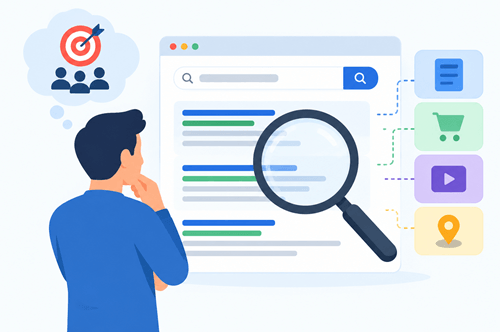
Search intent should be the first step in an on-page SEO audit because all other optimizations depend on it.
If the page targets a keyword but answers the wrong question, changing the title or adding more keywords won’t solve the main problem.
Start by understanding what a person expects to find after entering the query.
Search intent generally falls into four groups:
- Informational: The user wants to learn something.
- Navigational: The user wants to find a particular website or page.
- Commercial: The user is researching products, services, or solutions.
- Transactional: The user is ready to take an action, such as buying or signing up.
Search the target query and examine the current results. Look at the types of pages Google shows near the top.
For example, suppose you want to rank for the term “best WordPress cache plugins”. If most of the results are comparison articles, a short definition of caching won’t serve the same purpose.
Your page needs comparisons, features, pricing, pros and cons, and recommendations.
During your on-page SEO audit, ask:
- Does my page answer the main question?
- Does the format match the search results?
- Is the page aimed at the right audience?
- Does the content satisfy the reason behind the search?
- Has the intent changed since the page was published?
Search intent should guide the rest of your audit.
2. Review the Target Keyword
Every important page should have a clear primary topic. That doesn’t mean you should repeat one phrase throughout the article. It means search engines and readers should understand what the page is mainly about.
Check whether the keyword is still relevant to the page. Search volume alone shouldn’t decide the target. You should also consider the content relevance and business value.
Then look for related terms and questions that help you cover the topic naturally.
For a page about WordPress website speed, related topics might include:
- WordPress caching
- image optimization
- lazy loading
- hosting performance
- Core Web Vitals
- unused plugins
- JavaScript
- CDN
You can use your own keyword research process to discover these topics. If you’re looking for a practical way to find less competitive search terms, see our guide on how to find low-competition keywords.
The goal isn’t to collect hundreds of keywords. Build a useful set of closely related terms to help you answer the searcher’s question effectively.
3. Audit the Title Tag
Your title tag is one of the first elements to review because it influences how your page is represented in search results.
Google recommends descriptive, concise titles that accurately reflect the page. It also generates title links automatically in some situations, so the title you provide is a strong input rather than an absolute guarantee of what will appear.
Check each important page for these issues:
- Missing title tag
- Duplicate titles
- Generic titles
- Misleading titles
- Unnecessary keyword repetition
- Titles that don’t match the content
- Titles that fail to communicate the benefit of the page
Place the primary topic naturally in the title when it makes sense.
For example:
Weak:
SEO Tips
Better:
30 Best SEO Tips for Beginners to Improve Blog Traffic
The second title tells readers exactly what they will find.
Don’t chase a perfect character count. Keep the title concise enough to communicate the subject clearly and avoid unnecessary words.
4. Review the Meta Description
A meta description gives searchers additional context about a page. Google may use the description you provide, or generate a snippet from the page content, depending on the query.
Review the meta description for:
- Accuracy
- Relevance
- Readability
- Unnecessary keyword repetition
- Missing value proposition
- Duplicate descriptions
A good meta description gives readers a clear idea of what they will find on the page. It should be relevant to the search query, easy to read, and give people a reason to visit.
For example, for an article about how to speed up a WordPress website, you could write:
Learn how to speed up your WordPress website with simple tips for caching, image optimization, plugins, hosting, and Core Web Vitals.
Keep the description accurate and make sure it reflects the content on the page. Avoid adding claims or promises that the article doesn’t support.
5. Check the URL
A clean URL gives users and search engines a simple indication of what a page covers.
For example:
example.com/best-wordpress-website-themes/
is easier to understand than:
example.com/page?id=9274&category=wordpress
Review your URLs for:
- Unnecessary parameters
- Long strings of words
- Random numbers
- Excessive folders
- Dates that no longer make sense
- Unclear wording
Use words that describe the page. Keep the URL readable.
If an established page already has a reasonable URL, don’t change it just to add another keyword. URL changes require redirects and internal-link updates, and the expected benefit may not justify the risk.
6. Audit the H1 and Heading Structure

Your H1 should give visitors a clear understanding of the page’s main topic. It should support the title tag without needing to match it word-for-word.
Then, review the H2 and H3 headings.
A good heading structure lets a visitor scan the page and understand its contents before reading every paragraph.
For example, an article about WordPress speed might use:
- H1: How to Speed Up a WordPress Website
- H2: Why Is Your WordPress Website Slow?
- H2: Check Your Hosting
- H2: Optimize WordPress Images
- H2: Enable Caching
- H2: Reduce Unused Plugins
- H2: Test Core Web Vitals
Don’t create headings simply to insert keywords. A heading should introduce a meaningful section.
7. Check the Introduction
The opening section should quickly confirm that the visitor is in the right place. Don’t make readers go through a long story before reaching the answer.
A strong introduction should:
- Identify the problem.
- Explain what the article covers.
- Give the reader a reason to continue.
For an SEO guide, the introduction might explain that rankings can decline even when content appears strong because search intent, internal linking, page speed, titles, or freshness may need attention.
The first few paragraphs also provide context for search engines and AI systems trying to understand the page. Use the primary topic naturally and explain it in plain language.
8. Evaluate Content Quality
Content quality deserves more attention than keyword placement. A page needs to solve the problem behind the query, not simply contain a target phrase a certain number of times.
Read the page as if you discovered it through Google for the first time.
Ask:
- Does it answer the main question?
- Does it provide enough detail?
- Is the information accurate?
- Does it include practical examples?
- Does it address common follow-up questions?
- Is anything important missing?
- Is any section repetitive?
- Does the content provide something beyond a basic summary?
Google’s guidance emphasises helpful, reliable, people-first content. Write for humans. Address their pain points and suggest working solutions.
Look for information gaps
Compare your page with relevant search results. Don’t copy their structure or wording. Use them to identify questions your audience expects to have answered.
For example, an article about cheap VPS hosting might cover price but ignore:
- Renewal pricing
- Data-center locations
- Backups
- Managed support
- Server resources
- Control panels
- Bandwidth limits
Those missing topics may create a poor experience for readers who are actually trying to choose a VPS.
Add first-hand value
Original screenshots, testing results, examples, case studies, and personal observations help make a page more distinctive.
For a WordPress tutorial, showing the settings you tested is more valuable than repeating generic instructions found on dozens of other websites.
9. Check Keyword Placement
Keywords still help you establish what a page is about, but they need to appear naturally.
Review important locations such as:
- Title
- H1
- Introduction
- Relevant H2 headings
- Main content
- URL, when appropriate
- Image alt text when it accurately describes the image
Use words people would use to search for your content and place them in prominent, descriptive locations.
Don’t force the same phrase into every heading.
For example, you don’t need:
- “Best keyword research tools” for Titles, content, links, and images
That makes the article sound unnatural.
Use related wording such as keyword research, free keyword research tools, find profitable keywords, and long-tail keywords when those terms fit the context.
10. Improve Readability
A technically optimized page still needs to be comfortable to read. Large blocks of text make it harder for visitors to find answers.
Review:
- Paragraph length
- Sentence length
- Headings
- Bullet lists
- Tables
- Bold text
- Examples
- Spacing
- Navigation
Put important answers near the beginning of relevant sections.
For example, if the heading asks What is the best permalink structure?, answer that question in the first paragraph. Follow with details afterwards.
This structure also gives search engines and AI-powered systems clear passages to understand and reference.
11. Audit Internal Links
Internal links connect related pages on your website. They help visitors discover more information and help search engines understand relationships between pages.
Google recommends using descriptive internal link anchor text and ensuring that important pages have links pointing to them from other relevant pages.
When auditing a page, check two directions.
Links from the page
Ask:
- Does the page link to relevant supporting content?
- Are important terms linked to useful resources?
- Does the anchor text describe the destination?
- Are any links broken?
For example, an article about on-page SEO might naturally link to a detailed guide about SEO auditing tools.
Links to the page
Now check which pages link to the page you’re auditing.
A good article may deserve links from related posts across your website. If an important page has no internal links pointing toward it, add relevant contextual links from suitable articles.
Don’t add links simply to hit a number. Every internal link should help the reader to find more information.
12. Review External Links
External links support your claims and give readers access to better resources for more information.
Check whether your important claims have appropriate references. Government websites, universities, official documentation, research organizations, and respected industry sources are good options when they directly emphasise the point.
For SEO guidance, Google’s official Search Central documentation is a great destination to link to because it explains how Google approaches titles, links, images, structured data, and page experience.
External links don’t need to appear in every section. Use them where they add context.
13. Audit Images
Images improve articles when they explain a process, demonstrate a result, or make complicated information easier to understand.
During your on-page SEO audit, check:
- Image relevance
- File size
- Dimensions
- File format
- Filename
- Alt text
- Captions where appropriate
- Loading behavior
SEO experts recommend descriptive image filenames and useful alt text. It also warns against filling alt text with keywords.
For example:
Poor filename:IMG_48392.jpg
Better:wordpress-pagespeed-report.jpg
Alt text should describe the image when the image provides meaningful information.
For a screenshot showing a PageSpeed Insights result, something like “PageSpeed Insights report showing WordPress performance results” is more helpful than stuffing several SEO phrases into the alt attribute.
14. Check Structured Data
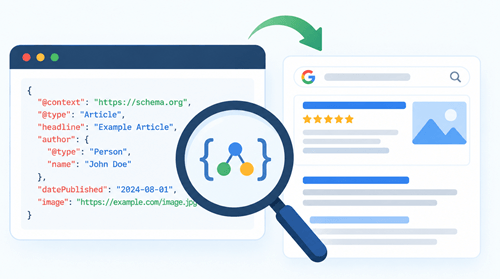
Structured data (schema) gives search engines additional information about page content. It uses a standardized format to describe entities and content types.
Depending on the page, relevant types might include:
- Article
- Product
- Breadcrumb
- Organization
- LocalBusiness
- Event
- Recipe
Don’t add schema simply because an SEO plugin offers it. The markup needs to represent the visible content accurately and follow Google’s guidelines.
Google states that structured data makes a page eligible for certain search features, but it does not guarantee that those features will appear.
Validate structured data with Google’s testing tools after implementation. If your site uses an SEO plugin, review the generated markup rather than assuming every setting is correct.
15. Check Canonical and Indexing Signals
This is one of the most important technical checks in an on-page SEO audit.
A great article won’t receive organic traffic if search engines are instructed not to index it.
Review:
- Canonical URL
noindexdirectives- Robots.txt restrictions
- HTTP status code
- Redirects
- HTTPS version
- Preferred URL
- Indexing status
Use Google Search Console’s URL Inspection tool to see how Google views a specific URL.
Check the canonical carefully when similar versions of a page exist. A page that points its canonical to another URL may not be treated as the preferred version.
Also check accidental noindex tags after website migrations, plugin changes, staging work, or theme updates.
16. Test Mobile Experience
A large share of website traffic comes from mobile devices, so inspect your pages on a real phone or in a mobile testing environment.
Check:
- Font size
- Navigation
- Buttons
- Forms
- Images
- Tables
- Videos
- Pop-ups
- Horizontal scrolling
- Spacing
A page that looks good on a desktop monitor may become difficult to use on a small screen.
You should look at the overall experience, including mobile presentation, secure delivery, Core Web Vitals, intrusive interstitials, and how easily users distinguish the main content.
17. Check Page Speed and Core Web Vitals

Page speed deserves a place in an on-page SEO audit because slow pages create friction for visitors and may affect search performance.
Google’s Core Web Vitals focus on loading performance, responsiveness, and visual stability. The current metrics are:
- LCP: Largest Contentful Paint
- INP: Interaction to Next Paint
- CLS: Cumulative Layout Shift
Google recommends aiming for an LCP within 2.5 seconds, INP below 200 milliseconds, and CLS below 0.1 for a good user experience.
Don’t obsess over getting a perfect PageSpeed score. Look for real problems that affect visitors.
Typical causes include:
- Oversized images
- Heavy themes
- Too many plugins
- Unnecessary JavaScript
- Third-party scripts
- Poor hosting
- Missing caching
- Web fonts that load inefficiently
If your website runs on WordPress, our guide to speeding up a WordPress website covers practical ways to improve performance.
18. Check Content Freshness
An old article isn’t automatically a bad article. The real question is whether the information remains accurate and relevant.
Review:
- Statistics
- Product details
- Screenshots
- Pricing
- Links
- Software versions
- Examples
- Recommendations
- Search intent
Imagine you have a blog post titled Best WordPress SEO Plugins. If the article still references features that were removed several years ago, readers may lose trust, even if it ranks well.
Update the content when there is a genuine reason to do so. Don’t simply change the publication date without improving the article.
19. Look for Keyword Cannibalization
Keyword cannibalization happens when multiple pages on your website compete for the same search intent.
For example, suppose a blog has two posts:
- Best Web Hosting for Small Businesses
- Best Web Hosting for Agencies
If both pages target almost the same audience and query, they may compete with each other.
During an on-page SEO audit, check for:
- Similar titles
- Similar target keywords
- Overlapping search intent
- Similar content
- Multiple URLs ranking for the same query
Possible solutions include:
- Combining pages
- Redirecting one page
- Differentiating search intent
- Retargeting one page
- Improving internal linking
Don’t merge pages simply because their keywords look similar. First, compare their actual intent and traffic.
20. Check for Duplicate and Thin Content
Duplicate and thin content can make it harder for search engines to understand the value of your pages.
During an on-page SEO audit, look for pages with very similar content, little useful information, or no clear purpose. Review these pages and decide whether they need more useful content, a better focus, or consolidation with another page.
Look for:
- Near-duplicate articles
- Thin category pages
- Repeated product descriptions
- Automatically generated pages
- Empty tag pages
- Short pages with no clear purpose
Duplicate content does not mean that every similar sentence is a problem. Websites naturally have repeated navigation, product details, and standard elements.
Focus on pages that create confusion or provide little value.
If two articles cover the same subject but serve separate audiences or search intents, keeping both may make sense.
21. Compare the Page With Current Search Results
Search results change frequently. A page that matched search intent two years ago may no longer fit what people expect today.
Search your target query and compare your page with the current results.
Look at:
- Content format
- Search intent
- Questions answered
- Topic coverage
- Examples
- Tables
- Images
- Freshness
- Page type
- Depth of information
Don’t treat word count as a target.
If competing pages have 3,000 words and your page needs only 1,800 words to answer the query completely, adding 1,200 words of filler won’t improve it.
Your goal is to create the most helpful page for the query.
22. Make Content Easy for AI Search to Understand
Search is expanding beyond the traditional list of blue links. AI-powered search experiences also need to interpret web pages, identify relevant passages, and connect information to user questions.
This doesn’t require a separate set of magic “AI SEO” tricks.
The basics remain strong:
- Use clear headings.
- Answer questions directly.
- Explain terms in simple language.
- Organize information logically.
- Use descriptive links.
- Provide original information.
- Support important claims with reliable sources.
- Keep facts accurate and current.
Current SEO guidance from Semrush and Ahrefs also emphasizes clear structure, topical coverage, direct answers, and content that works across traditional and AI-driven search experiences.
For example, start a section with a direct answer to the main question. Then add details, examples, or steps to help readers better understand the topic.
This clear structure makes your content easier for both people and search systems to read and understand.
23. Optimize for Featured Snippets
Featured snippets require a different approach from simply trying to rank first.
Look at questions related to your target keyword. If a query has a definition, a list, a table, or a step-by-step answer, structure your content clearly.
For example:
What is keyword cannibalization?
Keyword cannibalization happens when multiple pages on the same website target the same or very similar search intent.
Then expand on the answer with examples and practical solutions.
For list-based queries, use an actual numbered or bulleted list. For comparisons, use a table when it improves understanding.
Don’t write awkward paragraphs purely to chase a featured snippet. Make the content clear and helpful first.
24. Review E-E-A-T Signals
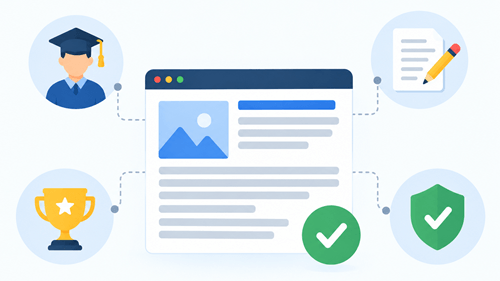
Experience, expertise, authoritativeness, and trust are useful concepts when reviewing content quality.
Ask:
- Does the author have relevant experience?
- Are important claims supported?
- Does the article explain how recommendations were reached?
- Are sources credible?
- Is the information transparent?
- Does the page provide original examples?
- Are business details clear where relevant?
For a web hosting review, for example, first-hand testing, screenshots, uptime observations, pricing checks, and practical setup notes provide more value than a generic list of hosting features.
The goal is to show readers why they should trust the information.
25. Check Accessibility and User Experience
SEO and accessibility overlap in several areas. A page that’s easier to navigate and understand also gives search visitors a better experience.
Review:
- Alt text
- Heading hierarchy
- Link text
- Font size
- Contrast
- Keyboard navigation
- Form labels
- Video captions
- Mobile usability
Avoid links such as “click here” when a descriptive phrase provides the reader with more information.
For example:
Weak:
Click here to read our SEO audit guide.
Better:
Read our complete Semrush Site Audit guide.
The second link tells the visitor where it leads before they click.
26. Check Conversion Elements
Website owners should not stop the audit once a page starts receiving traffic. Organic traffic has a business purpose.
Review whether the page gives visitors a sensible next step.
Depending on the page, this might be:
- Reading a related article
- Signing up for a newsletter
- Requesting a service
- Buying a product
- Starting a free trial
- Downloading a resource
- Contacting the business
The CTA should match the visitor’s intent.
For example, a beginner’s guide to email marketing may first direct readers to a related guide on building an email list. A product comparison page may have a stronger buying CTA.
Don’t cover the page with pop-ups and banners. The main content should remain easy to access.
How to Perform an On-Page SEO Audit Step by Step
A checklist is helpful, but a clear process makes an SEO audit easier to manage. Follow these steps to review a page, find important issues, and prioritize the changes that deserve your attention first.
Step 1: Choose the page
Start with an important page that receives organic traffic or has strong potential to grow more.
These kinds of pages can be included
- Pages ranking on page two
- Pages with falling traffic
- Important commercial pages
- Older posts
- Pages with high impressions but low clicks
Step 2: Identify the primary topic
Find the main keyword or search topic associated with the page.
Use Google Search Console to see the queries already generating impressions and clicks.
Step 3: Check search intent
Search the main query and compare your page with the results.
Make sure the page format and content match what people want.
Step 4: Check indexing
Review the canonical, indexability, redirects, and status code.
This prevents you from spending hours editing content on a page that has a basic indexing problem.
Step 5: Review the title and meta description
Make sure both accurately represent the page and encourage the right audience to click.
Step 6: Review the URL and headings
Check the URL, H1, H2s, and H3s.
Make sure the structure is clear.
Step 7: Audit the content
Look for gaps, outdated information, repetition, weak explanations, and missing examples.
Step 8: Review internal links
Add relevant links to supporting pages and identify other pages that should link to this page.
Step 9: Review images and structured data
Check image optimization, alt text, and schema.
Step 10: Check page experience
Test mobile usability and Core Web Vitals.
Step 11: Compare with search results
Review the page again after identifying its weaknesses.
Ask what would make it more useful than the current version.
Step 12: Prioritize fixes
Don’t make twenty changes simply because a tool produces twenty recommendations.
Separate problems into high-, medium-, and low-priority.
Step 13: Make the changes
Update the page carefully. Keep a record of major changes so you know what happened if traffic changes later.
Step 14: Monitor the results
Use Search Console and your analytics platform to track:
- Impressions
- Clicks
- CTR
- Average position
- Organic traffic
- Conversions
SEO changes need time before their impact becomes clear.
Best On-Page SEO Audit Tools
The right SEO tools save your time and help you spot issues that are easy to miss during a manual review.
From keyword data and indexing reports to page speed and broken links, these tools give you useful information to make smarter on-page SEO improvements.
Google Search Console
Google Search Console is a free tool that provides real data on how your pages perform in Google Search.
Use it to review:
- Search queries
- Impressions
- Clicks
- CTR
- Search position
- Indexing
- URL inspection
- Core Web Vitals
It shows how Google Search actually interacts with your site, rather than relying solely on third-party estimates.
Semrush

Semrush provides tools for keyword research, site auditing, position tracking, and page-level optimization. Its SEO checker also produces prioritized recommendations for technical and on-page issues.
For a larger website, a crawler-based audit gives you a way to find repeated issues across titles, descriptions, headings, links, images, and indexing signals. You can also follow our Semrush Site Audit guide for a practical walkthrough.
Ahrefs

Ahrefs provides tools for keyword research, content analysis, backlink analysis, internal link analysis, and technical audits. Its Site Audit tool checks a broad range of technical and on-page issues across a website.
This is particularly helpful when you want to understand how pages connect internally or compare your content and search performance with competing sites.
Screaming Frog
Screaming Frog is a website crawler that helps you find on-page and technical SEO issues across your site.
It helps you inspect:
- Title tags
- Meta descriptions
- H1s
- H2s
- Canonicals
- Status codes
- Redirects
- Internal links
- Images
- Duplicate elements
For a small blog, you may not need it every day. For a large site, a crawler saves substantial manual work.
How Often Should You Perform an On-Page SEO Audit?
There isn’t a specific timeframe. The right frequency depends on how quickly your content, industry, competitors, and search results change.
For important commercial pages, review performance regularly.
For evergreen blog posts, schedule a broader review when:
- Organic traffic drops
- Rankings decline
- Search intent changes
- Competitors publish stronger content
- Products or services change
- Statistics become outdated
- Links stop working
- Google Search Console shows new opportunities
Run a basic SEO audit before publishing a new article. After the page starts receiving search traffic, review its performance and use the actual queries to determine what needs improvement.
The key is to make audits part of your content process rather than treating SEO as a one-time task.
Final Thoughts
An on-page SEO audit gives you a clear way to find and fix problems that may hold your pages back in search.
Start with the basics: check search intent, keywords, titles, headings, content quality, internal links, images, indexing, and page speed. Then look at mobile usability, structured data, content freshness, and user experience.
You don’t need to fix every issue at once. Focus on the problems that have the biggest impact on your visitors and search performance. Review important pages regularly, keep your content accurate, and use data from tools such as Google Search Console to guide your decisions.
Use this on-page SEO audit checklist as a repeatable process whenever you update an old page, investigate a traffic drop, or want to improve an important page. Small, focused improvements can make your content clearer, more useful, and easier for search engines to understand.