Direct Answer
GeneratePress is the best overall lightweight WordPress theme for most website owners. It has a performance-focused foundation, works well with the WordPress block editor and popular page builders, and gives you plenty of control without forcing a large collection of features onto every page. Astra, Kadence, Blocksy, Neve, and Hello Elementor are also strong choices for specific types of websites.
A slow website can hurt user experience, search visibility, and conversions. Your WordPress theme plays a role in website speed, especially when it loads large CSS files, scripts, fonts, or features you do not need.
A lightweight WordPress theme gives you a cleaner starting point. It helps your pages load faster while still giving you enough options to create a professional website. This is useful for blogs, business websites, affiliate sites, and online stores.
But choosing a fast theme is not as simple as picking the one with the smallest file size. Your hosting, plugins, images, page builder, and third-party scripts also affect performance.
In this guide, we have selected 10 of the best lightweight WordPress themes for 2026. We compare their features, strengths, limitations, and ideal use cases to help you find the right theme for a fast website.
| Heads up: Some of the links in this post are affiliate links. This means I may earn a small commission at no extra cost to you if you make a purchase. |
- Best Lightweight WordPress Themes at a Glance
- What Is a Lightweight WordPress Theme?
- What Makes a WordPress Theme Lightweight?
- Best Lightweight WordPress Themes
- 1. GeneratePress — Best Overall Lightweight WordPress Theme
- 2. Astra — Best Lightweight WordPress Theme for Beginners
- 3. Kadence — Best Lightweight WordPress Theme for Gutenberg
- 4. Blocksy — Best Feature-Rich Lightweight WordPress Theme
- 5. Neve — Best Lightweight WordPress Theme for Small Businesses
- 6. Hello Elementor — Best Lightweight Theme for Elementor
- 7. Twenty Twenty-Five — Best Simple Block Theme
- 8. OceanWP — Best for Flexible Business Websites
- 9. Sydney — Best for Business and Portfolio Sites
- 10. Page Builder Framework — Best Minimal Theme for Page Builders
- Are Soledad, JNews, Divi, and Thrive Theme Builder Lightweight?
- Lightweight Theme vs Feature-Rich Theme: Which Should You Choose?
- Does a Lightweight WordPress Theme Improve Website Speed?
- Does a WordPress Theme Affect SEO?
- How to Choose the Best Lightweight WordPress Theme
- How to Test a Lightweight WordPress Theme
- How to Make a Lightweight WordPress Theme Even Faster
- Lightweight WordPress Theme vs WordPress Block Theme
- Final thoughts
- FAQ
Best Lightweight WordPress Themes at a Glance
| Theme | Best For | Performance Focus | Free Version |
|---|---|---|---|
| GeneratePress | Overall performance | Excellent | Yes |
| Astra | Beginners and businesses | Excellent | Yes |
| Kadence | Gutenberg and customization | Excellent | Yes |
| Blocksy | Modern websites and WooCommerce | Excellent | Yes |
| Neve | Blogs and small businesses | Excellent | Yes |
| Hello Elementor | Elementor websites | Excellent | Yes |
| Twenty Twenty-Five | Simple block-based websites | Excellent | Yes |
| OceanWP | Flexible business websites | Very good | Yes |
| Sydney | Business and portfolio sites | Very good | Yes |
| Page Builder Framework | Minimal page-builder sites | Excellent | Yes |
These lightweight WordPress themes offer a good mix of speed, features, and flexibility.
GeneratePress and Astra are strong all-round choices, while Kadence and Blocksy work well for users who want more design control. Your best option depends on your website, preferred tools, and the features you need.
What Is a Lightweight WordPress Theme?
A lightweight WordPress theme is designed to keep your website’s code and files as small and efficient as possible. It avoids loading extra features, scripts, styles, and resources that you may not need. This gives your browser less work to handle and can help your pages load faster.
A lightweight theme also keep your website simple. You can add the plugins and features you need without loading a lot of extra theme code.
For example, a technology blog may only need a simple header, navigation menu, readable typography, blog layouts, and basic customization. A lightweight theme can provide these features without adding a large collection of extra tools.
However, a lightweight WordPress theme does not automatically make a website fast. Your hosting, images, plugins, fonts, caching, and third-party scripts also affect performance. The best approach is to choose a lean theme and keep the rest of your website well optimized.
What Makes a WordPress Theme Lightweight?
Several technical characteristics contribute to a lightweight WordPress theme. Let us check what are they.
Small CSS and JavaScript files
Every stylesheet and script adds work for the browser. A theme with a lean codebase can reduce this overhead.
Fewer HTTP requests
A page that requests fewer resources can load more easily, particularly when the visitor is using a slower connection.
Efficient font handling
Fonts can add noticeable weight to a page. A good theme should avoid loading a large collection of font files when your design only needs a small selection.
Modular features
A modular theme lets you activate features when you need them. This helps prevent unnecessary functionality from loading across your website.
Good block-editor support
WordPress themes that work well with Gutenberg help you build pages without depending on a large visual builder.
WordPress also supports full block themes that let you edit the header, footer, templates, navigation, and other site areas through the Site Editor.
Clean markup
Well-structured HTML gives browsers a sensible document to process and can make the theme easier to maintain.
Best Lightweight WordPress Themes
A lightweight theme can give your WordPress website a strong base for better speed and performance.
We’ve selected 10 themes that balance fast loading with useful features, easy customization, and broad WordPress support. Whether you run a blog, business site, or online store, you’ll find an option that fits your needs.
1. GeneratePress — Best Overall Lightweight WordPress Theme

GeneratePress is my top choice for website owners who want a lightweight theme without giving up customization. The theme has built its reputation around performance, clean code, and compatibility with the WordPress ecosystem.
A fresh GeneratePress installation adds less than 10 KB of gzipped data to a page. It also supports Gutenberg, Elementor, Beaver Builder, WooCommerce, and other well-coded plugins.
The theme takes a modular approach. You can keep the basic installation simple and add functionality as your project grows. This works particularly well for bloggers, affiliate websites, technology publications, and business websites where performance is a priority.
GeneratePress also works well with GenerateBlocks if you want to create custom layouts using blocks. You can build a fast site without relying on a large visual page builder.
Pros
- Lightweight code
- Gutenberg support
- Compatible with popular page builders
- Extensive customization
- Modular premium features
- Good WooCommerce compatibility
- Suitable for blogs and business websites
Cons
- Some advanced features require the premium version
- Beginners may need time to understand its customization system
- Starter designs are less focused on visual effects than some competing themes
Best for
GeneratePress is a good choice for bloggers, affiliate marketers, and business owners who want a fast website. It also works well for users who want more control over their site’s design.
2. Astra — Best Lightweight WordPress Theme for Beginners
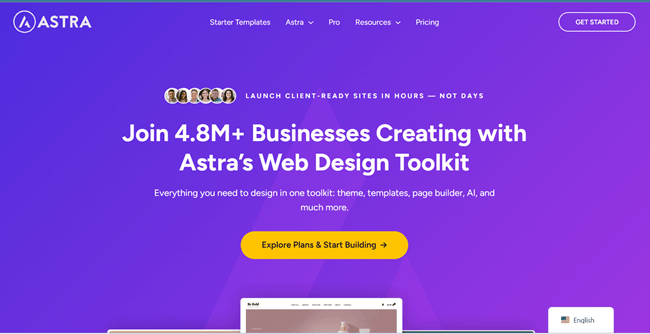
Astra is one of best lightweight WordPress themes combined with a large collection of ready-made designs. It is particularly useful for people who do not want to build every page from scratch.
This free WordPress theme has more than one million active installations. Its key features include performance, mobile-first design, schema markup, and compatibility with builders such as Elementor, Beaver Builder, and Spectra.
Astra’s major advantage is flexibility. You can start with a simple blog layout, create a business website, or build an online store. Its starter templates can save substantial setup time.
Astra is beautiful, flexible, and secure. I use it on multiple websites and have been really impressed with its performance, design quality, and customer support.
Pros
- Beginner-friendly
- Large starter-template library
- Customization settings
- Page-builder friendly
- WooCommerce support
- Large user base
Cons
- Premium features can increase the amount of functionality on a site
- The large feature set requires careful configuration
Best for
Astra is ideal for beginners, bloggers, businesses, and online stores that want a fast and flexible theme. Its ready-made templates also make it easy to build a website quickly.
3. Kadence — Best Lightweight WordPress Theme for Gutenberg

Kadence is another fast and lightweight theme for WordPress. It is particularly attractive if you want to work with Gutenberg rather than depending completely on Elementor or another page builder.
This is a full-featured theme with a drag-and-drop header and footer builder, starter templates, global typography and color controls, and integrations for ecommerce, business websites, and other projects.
Kadence work best for content websites also. You can create reusable design settings for headings, buttons, colors, spacing, and other elements. This makes it easier to keep a blog visually consistent.
Pros
- Lightweight theme
- Unlimited settings
- Global design controls
- Starter templates
- Excellent Gutenberg support
- WooCommerce support
Cons
- Advanced features require premium upgrades
- The customization options may feel extensive
- Kadence Blocks can add more functionality as your site grows
Best for
Kadence is a good option for bloggers and business owners who prefer the WordPress block editor. It gives you plenty of design options without adding too much weight to your site.
4. Blocksy — Best Feature-Rich Lightweight WordPress Theme
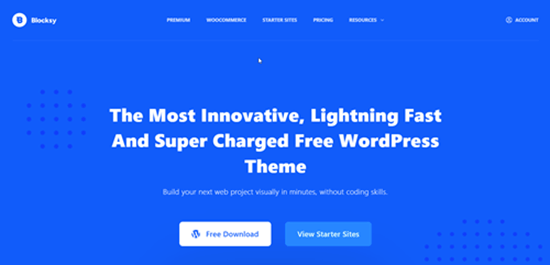
Blocksy is worth considering if you want a modern design system while keeping performance high on your list.
This is a fast, modern theme with advanced WooCommerce support and full block-editor compatibility. It also includes features for grids, blog layouts, custom colors, menus, featured images, and other common website requirements.
Blocksy is a good fit for website owners who want more visual control than a bare-bones theme provides. Its header and footer tools can help you create custom layouts without writing code.
Pros
- Modern interface
- Flexible layouts
- Attractive starter sites
- WooCommerce friendly
Cons
- Some advanced options require Pro
- Extra functionality can increase page resources
Best for
Blocksy is a good fit for modern blogs, business websites, and WooCommerce stores. It offers useful design and store features while keeping performance in mind.
5. Neve — Best Lightweight WordPress Theme for Small Businesses
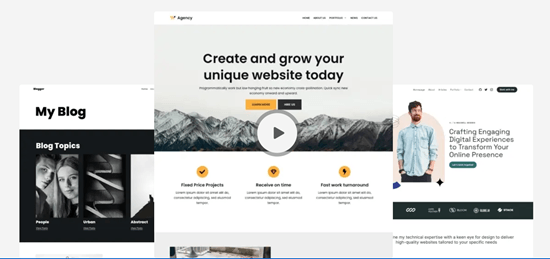
Neve is designed around speed, responsive design, and compatibility with modern WordPress tools. It works well for small businesses, blogs, portfolios, agencies, and online stores.
This ultra-fast theme focused on performance, SEO, and Core Web Vitals. It supports the block editor, Elementor, Bricks, Oxygen, WooCommerce, and other tools.
Neve is a good choice when you need a professional-looking site without having to start with a large design framework. Its starter sites also make it easier to quickly create a polished layout.
Pros
- Performance-focused
- Responsive
- Starter designs
- WooCommerce support
- Suitable for business sites
Cons
- Premium features are required for some advanced controls
- Starter templates can add assets and plugins during setup
Best for
Neve works well for blogs, small businesses, portfolios, and simple online stores. It is a good choice if you want a clean design with useful customization options.
6. Hello Elementor — Best Lightweight Theme for Elementor
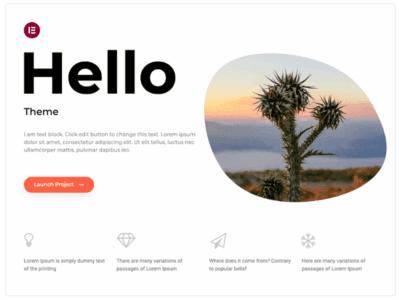
Hello Elementor takes a very simple approach. It provides a minimal theme setup and lets Elementor handle much of the visual design.
That makes it particularly attractive to Elementor users. Hello is a lightweight theme designed to work closely with Elementor and reports more than one million active installations.
The key point is that Hello Elementor’s performance depends heavily on how you build the site. A blank theme paired with a complex Elementor design can still produce a large page. A disciplined Elementor build with optimized assets can perform much better.
Pros
- Minimal starting point
- Free theme
- Elementor integration
- Useful for custom designs
- WooCommerce friendly
Cons
- Not designed to provide a complete design system on its own
- Elementor can add significant page resources
- Less useful if you prefer Gutenberg
Best for
Hello Elementor is best for website owners who build their pages with Elementor. Its simple design makes it a good starting point for custom Elementor websites.
7. Twenty Twenty-Five — Best Simple Block Theme
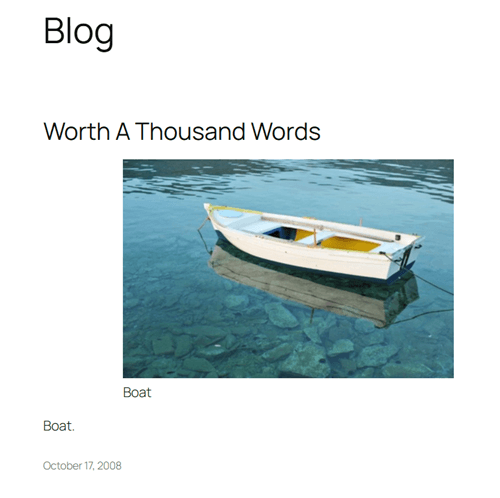
WordPress’s default themes are worth considering when discussing lightweight websites. Twenty Twenty-Five is especially interesting for people who want a straightforward block-based website without a large commercial theme framework.
Block themes use WordPress’s Site Editor to manage site structure. You can edit templates, headers, footers, navigation, styles, and other parts of the website through blocks.
The main advantage of Twenty Twenty-Five is simplicity. You do not need a large collection of theme-specific tools to create a fast blog or content website.
Twenty Twenty-Five does not provide the same set of business templates and advanced design controls as Astra or Kadence. For a personal blog, documentation site, or simple publication, though, that is enough.
Pros
- Free
- Native WordPress approach
- Block-based editing
- No commercial theme framework
- Good starting point for simple websites
Cons
- Fewer specialized features
- Less suited to complex e-commerce projects
- Some users prefer traditional theme customization tools
Best for
Twenty Twenty-Five is a good choice for simple blogs, personal websites, and content-focused sites. It is also suitable for users who want to build their site with WordPress blocks.
8. OceanWP — Best for Flexible Business Websites

OceanWP has been around for years and continues to appear in lightweight theme comparisons. It offers a broader collection of features than a minimal theme, so it needs a little more attention during setup.
This theme performs well on a clean installation, although it generally produces a larger footprint than the most minimal themes.
OceanWP is a good choice when you need design flexibility, WooCommerce features, and a broad set of layout controls.
Pros
- Flexible
- Large customization range
- Page-builder support
- WooCommerce-friendly
Cons
- More resource-heavy than the leanest choices
- Extra extensions need careful management
- Not my first choice for a site where minimum page weight is the main goal
Best for
OceanWP is suitable for business websites, blogs, and online stores that need plenty of customization options. It is a good choice when you need more built-in features than a basic theme provides.
9. Sydney — Best for Business and Portfolio Sites

Sydney is another popular lightweight WordPress theme. It focuses on business websites, portfolios, and professional layouts.
If your site needs a polished presentation without requiring you to start with a large, multipurpose framework, Sydney is a good option.
Sydney is not necessarily the first theme I would choose for a minimal content blog. Its strength is providing a practical, business-oriented starting point.
Pros
- Business-focused layouts
- Responsive design
- Starter designs
- Good performance potential
Cons
- Less minimal than GeneratePress
- Some advanced features require premium upgrades
- Not as widely associated with extreme performance as the top lightweight choices
Best for
Sydney is a good option for business websites, portfolios, and service-based websites. It provides useful layouts for presenting your services and business information.
10. Page Builder Framework — Best Minimal Theme for Page Builders
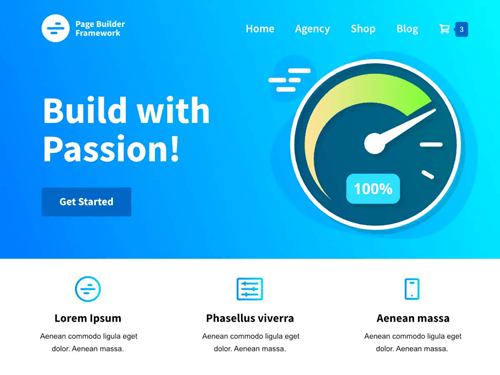
Page Builder Framework is a lightweight WordPress theme built to provide a basic foundation for creating custom websites. It works with popular page builders and Gutenberg, while keeping the theme itself simple.
The idea is simple: keep the theme base lean and let your chosen building system control the visual experience. This approach works well for developers, agencies, and marketers who already have a preferred design workflow.
Page Builder Framework also gives you control over the amount of functionality used on the site.
Pros
- Minimal design
- Flexible
- Useful for custom designs
- Page-builder friendly
- Suitable for agencies
Cons
- Less useful for people who want a ready-made website
- Design quality depends heavily on your builder and setup
- Advanced features may require paid extensions
Best for
Page Builder Framework is best for developers, agencies, and experienced WordPress users who want a simple theme setup. It works well when you plan to create the design with Gutenberg or a page builder.
Are Soledad, JNews, Divi, and Thrive Theme Builder Lightweight?

If you have already looked at our Best WordPress Blog Themes guide, you will recognize names such as Soledad, JNews, Divi, and Thrive Theme Builder.
They are great WordPress themes. However, I would not place them in the same category as a minimal theme when reducing theme overhead is your main goal.
Soledad is designed for large blog and magazine websites with extensive layout options. Divi provides a large visual design ecosystem.
JNews targets publishers who need news, magazine, content, and monetization features. Thrive Theme Builder focuses heavily on visual control and conversion-oriented website building.
These products is appropriate when their built-in features solve a real requirement. A publisher running a large technology magazine may gain more value from JNews than from a minimalist theme that requires several plugins to reproduce the same publishing features.
The lesson is simple: do not choose the smallest theme simply because it has the smallest footprint. Choose the leanest solution that can handle your actual website requirements.
Lightweight Theme vs Feature-Rich Theme: Which Should You Choose?
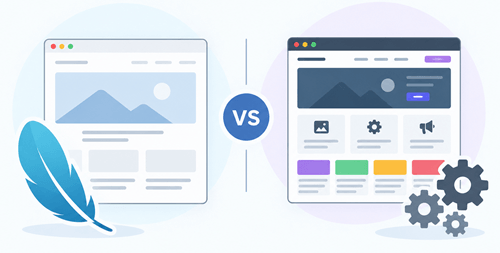
A lightweight theme can help keep your website fast, while a feature-rich theme gives you more tools and design options. The right choice depends on your website and what you need to build.
Before choosing a theme, consider its features, performance, ease of use, and how much control you want.
A simple SEO blog may only need:
- Blog layouts
- Navigation
- Typography
- Featured images
- Categories
- Search
- Basic customization
GeneratePress, Kadence, Neve, or a default block theme can handle this type of project well.
A digital marketing agency may need:
- Landing pages
- Forms
- Testimonials
- Pricing tables
- Case studies
- Lead-generation tools
- WooCommerce
Astra, Kadence, Blocksy, or Neve may fit your needs.
A large technology publication may need:
- Complex category pages
- Author profiles
- Advertising areas
- Related content
- Review layouts
- Large archives
- Monetization features
That is where a more feature-rich publishing theme can make sense.
The right decision depends on what the website needs to accomplish.
Does a Lightweight WordPress Theme Improve Website Speed?
Yes. A lightweight WordPress theme can help you improve website performance by reducing the amount of theme code and resources that the browser needs to load and process.
However, switching themes does not automatically make a website faster.
Consider a technology blog using GeneratePress. The theme may be extremely lean, but the site could still have:
- 4 MB images
- Several analytics scripts
- An advertising network
- A large cookie-consent script
- 20 plugins
- An external chat widget
- Multiple font files
- Poor hosting
The resulting website may still load slowly.
This is why a lightweight WordPress theme should be treated as a starting point rather than a complete speed-optimization solution.
Does a WordPress Theme Affect SEO?
A WordPress theme can influence several technical aspects that contribute to the user experience, including page performance, mobile presentation, HTML structure, accessibility, and layout stability.
Google recommends paying attention to Core Web Vitals and overall page experience. It uses LCP, INP, and CLS as Core Web Vitals to measure loading performance, responsiveness, and visual stability.
The current targets are:
- LCP: 2.5 seconds or less
- INP: less than 200 milliseconds
- CLS: less than 0.1
A good Core Web Vitals result does not guarantee a top Google ranking. Google also states that relevant, useful content remains important and that page experience is one part of the wider ranking system.
That means you should not choose a theme simply because someone claims it produces a perfect PageSpeed score.
How to Choose the Best Lightweight WordPress Theme
Start with your website requirements. Do not start with the theme’s marketing page.
Ask yourself these questions.
Do you use Gutenberg?
If yes, consider GeneratePress, Kadence, Blocksy, Neve, or a modern block theme.
Do you use Elementor?
Hello Elementor is a natural choice. Astra, GeneratePress, Kadence, Blocksy, and Neve also work with Elementor.
Are you building a WooCommerce store?
Look at Astra, Kadence, Blocksy, GeneratePress, and Neve. Check the features you need before installing additional e-commerce plugins.
Do you run a simple blog?
GeneratePress, Kadence, Neve, or a WordPress default block theme can provide a simple and beginner-friendly setup.
Do you run a content-heavy publication?
A lightweight theme can still work, but publishing functionality becomes more important. This is where a theme such as JNews or Soledad may justify its additional features.
Do you need a visual design system?
Astra, Kadence, Blocksy, and Divi provide broad design controls. Your final page weight will depend on how you use those tools.
How to Test a Lightweight WordPress Theme
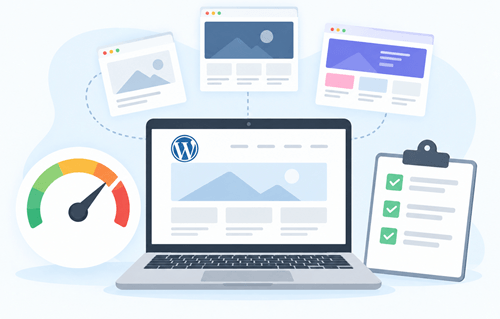
You should test the complete website rather than relying on the theme’s demo.
Start with a staging site or a fresh WordPress installation. Install the theme and your core plugins. Add a realistic homepage, several blog posts, images, menus, fonts, and any scripts your real website will use.
Then test the site using Google PageSpeed Insights, GTmetrix, or another trusted performance tool.
Pay attention to:
- LCP
- INP
- CLS
- TTFB
- Page size
- Number of requests
- Render-blocking resources
- Unused CSS
- Unused JavaScript
Google provides PageSpeed Insights and Search Console resources for measuring page performance and Core Web Vitals.
Do not run one test and declare a winner. Test several important page types such as blog posts, case studies, product pages, services etc depending on your business type. .
How to Make a Lightweight WordPress Theme Even Faster
Even a well-built lightweight WordPress theme needs sensible optimization.
Use quality WordPress hosting
Your hosting server affects TTFB, database response time, resource availability, and server-side processing. A fast theme cannot compensate for severely underpowered hosting.
Enable caching
Page caching lets the server deliver previously generated pages without rebuilding the page for every visitor. Object caching can also help websites with database-heavy workloads.
Optimize images
Large images can add more weight than the theme itself. Resize images according to their display dimensions. Compress them before uploading and use modern formats such as WebP or AVIF when they suit your workflow.
Limit plugins
Not all plugins create the same amount of overhead. Look at what each plugin loads on the front end. Remove plugins you no longer need.
Reduce third-party scripts
Analytics, advertising, social widgets, chat tools, heatmaps, and other external services can add requests and JavaScript. Keep only the services that provide real value.
Use fewer fonts
A website does not need ten font families and dozens of font weights.
Choose a small typography system and load only the weights you use.
Avoid unnecessary page-builder elements
A page builder can be useful, but adding multiple animated sections, sliders, popups, carousels, and complex widgets to every page can increase resource usage.
Use a CDN
A content delivery network can serve static resources from locations closer to visitors. This can help sites with audiences spread across multiple regions.
Keep WordPress updated
Use current versions of WordPress, your theme, plugins, and PHP where supported. Updates can improve compatibility, security, and performance.
Lightweight WordPress Theme vs WordPress Block Theme

A lightweight WordPress theme focuses on keeping the theme efficient. A block theme uses WordPress’s block system to control the website’s structure and design.
WordPress introduced block themes with WordPress 5.9. They allow users to edit site areas such as headers, footers, templates, and navigation through the Site Editor.
A block theme may be lightweight, but not every block theme will have the same performance characteristics.
If you enjoy working with Gutenberg, it is worth testing a modern block theme before automatically choosing a classic theme. For a simple content site, a native block-based setup is a very clean solution.
Final thoughts
Choosing a lightweight WordPress theme is a smart first step if you want a fast, responsive website. GeneratePress is our top pick for overall performance, while Astra, Kadence, Blocksy, Neve, and Hello Elementor are excellent choices for specific needs.
Keep in mind that your theme is only one part of website speed. Good hosting, optimized images, caching, fewer plugins, and limited third-party scripts can also make a big difference. Choose a theme that gives you the features you need without adding unnecessary weight.
The best lightweight WordPress theme is the one that fits your website and helps you maintain good performance as your site grows.