Direct Answer
The best WordPress membership plugins help you restrict content, manage members, create subscription plans, and accept payments. MemberPress is a strong all-around option, while Ultimate Membership Pro offers flexible membership levels and MemberMouse provides advanced membership management. Ultimate Member and WP-Members are useful choices for simpler membership websites. Compare their features, pricing, integrations, and support before choosing one.
Have you ever thought about charging people to read your best content or join a private community? Turning your regular website into a membership business is one of the best ways to earn steady, monthly income. You just need to put your premium posts, videos, or courses behind a paywall.
But setting this up from scratch is really hard. You need a secure way to accept payments, create user accounts, and make sure only paying members can see your hidden pages. That is exactly why you need a membership plugin.
A good plugin handles all the complicated technical stuff for you. You just install it, pick what you want to lock, and start making money. In this article, we gathered the best WordPress membership plugins you should use to build your subscription site and grow your revenue easily.
| Disclosure: Your support helps keep the site running! We earn a referral fee for some of the services we recommend on this page. |
Best WordPress Membership Plugins for 2026
These are the 5 best WordPress membership plugins in 2026.
1. MemberPress
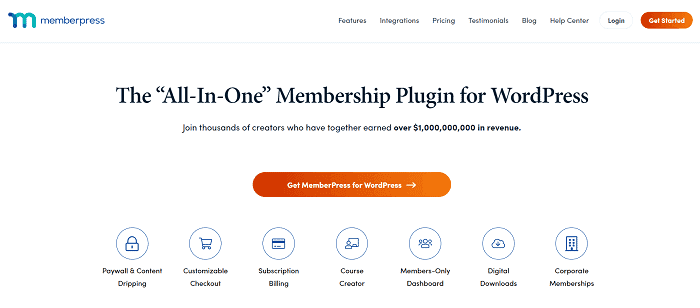
MemberPress is one of the leading WordPress membership plugins to make money from your website. It is a powerful plugin that helps you create, manage membership plans, and track users from a single dashboard.
MemberPress is integrated with top-level services like WooCommerce, PayPal, BuddyPress, Authorize.net, Stripe, Mailchimp, Amazon Web Services, Active Campaign, Mad Mimi, Get Response, Constant Contact, Campaign Monitor, AWeber, bbPress, and many others.
It allows you to sell digital products and manage posts, pages, videos, podcasts, categories, and tags based on what memberships belong to.
Key Features
2. Ultimate Membership Pro

Ultimate Membership Pro is a well-known membership plugin for WordPress. It lets you create multi-level subscription plans and protect posts, pages, products, images, categories, and others from unauthorized users.
With the plugin, you can offer coupon codes and percentage or flat rate-based discounts to the members. Social media login (Facebook, Twitter, Google, LinkedIn, Instagram, Tumblr), recurring payments, custom inside a content locker, download monitor, and custom redirects are some other advantages of the plugin.
Ultimate Membership Pro is easy to use and comes with an attractive interface. It is integrated with leading services like PayPal, Stripe, Braintree, Authorize.net, Payza, 2CheckOut, and 9 email marketing tools.
Key Features
3. MemberMouse
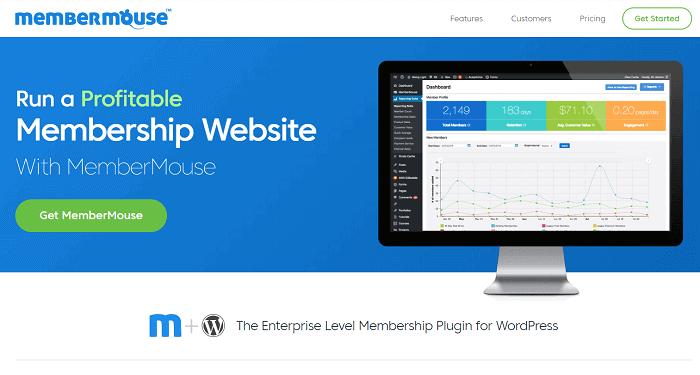
MemberMouse is a powerful, all-around membership plugin for WordPress. It gives you full power over the membership and the services offered. You can easily add products, manage payment plans, offer coupons, discounts, etc., via the admin area.
This plugin is highly secure and implements the latest security standards to protect your website from unauthorized access. It is integrated with many billing providers and email marketing tools to fully utilize the benefits of membership sites.
Key Features
4. Ultimate Member

Ultimate Member ranks top among free WordPress membership plugins. It offers many features, including frontend user registration, login, custom user roles, content restriction, member directories, private messages, social media login, etc. Some of the mentioned features come as premium extensions.
It is simple, lightweight, and perfect for creating membership sites and advanced online communities.
Key Features
5. WP-Members Membership Plugin

WP-Members is a free plugin to restrict content to registered members. It enables you to block posts, pages, and individual content for non-members, and customize the member capabilities as you need or that best fit your business.
The plugin will add registration, login options on the frontend, and the users should be connected in order to access the contents. WP-Members restricts all content by default, but you can unblock it as desired. You can also block/unblock individual posts or pages if needed.
Key Features
Final thoughts
Picking the right membership plugin does not have to be stressful. It really just depends on what you want to build.
If you need a simple paywall, a free option works great. But if you plan to sell courses and run a big community, a premium tool is your best bet. Just grab the one that fits your budget, lock up your best content, and start earning that monthly income today!